
AI Life is a unified platform for managing IoT devices. It is developed and released by Huawei. The primary function of the AI Life app is to help users connect, control, and manage their Huawei smart devices in one place. The app supports a wide range of devices, including smartphones, tablets, smartwatches, smart speakers, smart home devices, and more.
AI Life is available for download on both Android and iOS devices. To use the app, users must first create a Huawei account. Once logged in, users can add their Huawei devices to the app by scanning the QR code on the device or entering the device's serial number.
Once a device is added to the AI Life app, users can control it remotely from anywhere in the world. For example, users can turn on their smart lights, adjust the temperature on their smart thermostat, or start playing music on their smart speaker.
AI Life also provides a number of other features to help users manage their smart devices more effectively. For example, users can create schedules for their devices, set up notifications, and receive alerts when something goes wrong.
Key Features of AI Life App
- Device management: AI Life allows users to add, manage, and control all of their Huawei smart devices from one place.
- Remote control: Users can control their Huawei smart devices remotely from anywhere in the world using the AI Life app.
- Scheduling: Users can create schedules for their Huawei smart devices to turn on, turn off, or perform other actions at specific times.
- Notifications: Users can set up notifications to receive alerts when their Huawei smart devices perform certain actions or when something goes wrong.
- Smart features: AI Life provides a number of smart features to help users manage their devices more effectively, such as device grouping, scene creation, and voice control.
Benefits of Using AI Life App
There are many benefits to using the AI Life app. Here are a few of the most notable benefits:
- Convenience: AI Life makes it easy to connect, control, and manage all of your Huawei smart devices from one place.
- Remote control: You can control your Huawei smart devices remotely from anywhere in the world, even when you're not at home.
- Automation: AI Life allows you to automate your smart devices so that they perform certain actions at specific times or when certain conditions are met.
- Peace of mind: AI Life can send you notifications if something goes wrong with your Huawei smart devices, so you can take action quickly.
How to Use AI Life App
To use the AI Life app, you will need to create a Huawei account and download the app to your mobile device. Once you have logged in to the app, you can add your Huawei devices to the app by scanning the QR code on the device or entering the device's serial number.
Once a device is added to the AI Life app, you can control it from the app's home screen. You can also view the status of your devices and adjust their settings.
To learn more about how to use AI Life, you can visit the Huawei support website or watch the AI Life tutorial videos.
Examples of How to Use AI Life App
Here are a few examples of how you can use the AI Life app:
- Turn on your smart lights before you get home from work.
- Adjust the temperature on your smart thermostat when you're away on vacation.
- Start playing music on your smart speaker when you wake up in the morning.
- Turn off your smart lights when you go to bed at night.
- Receive a notification if your smart security camera detects motion.
- Group your smart devices together to create scenes, such as a "Movie Night" scene that turns off your lights, closes your curtains, and turns on your TV.
- Use voice control to control your smart devices with the AI Life app.
Conclusion
The AI Life app is a powerful tool for managing Huawei smart devices. It provides a variety of features to help users connect, control, and automate their devices. AI Life is a convenient and easy-to-use app that can help users make their homes and lives smarter.
AI Life App Keyword Silo
- AI Life
- Huawei
- smart devices
- IoT
- device management
- remote control
- scheduling
- notifications
- smart features
- convenience
- automation
- peace of mind
- QR code
- serial number
- home screen
- device status
- settings
- tutorial videos
- turn on lights
- adjust temperature
- play music
- turn off lights
- security camera
- detect motion
- group devices
- create scenes
- voice control
WebHUAWEI AI Life is a great way to get control over all of your smart devices, in a simple and effective way. Download the app here and get started with your new smart. WebUnduh HUAWEI AI Life dan nikmati pada iPhone, iPad, serta iPod touch Anda. AILife is a unified platform for managing loT devices.Easily control your Wi-Fi/mobile Wi-Fi,5G and.
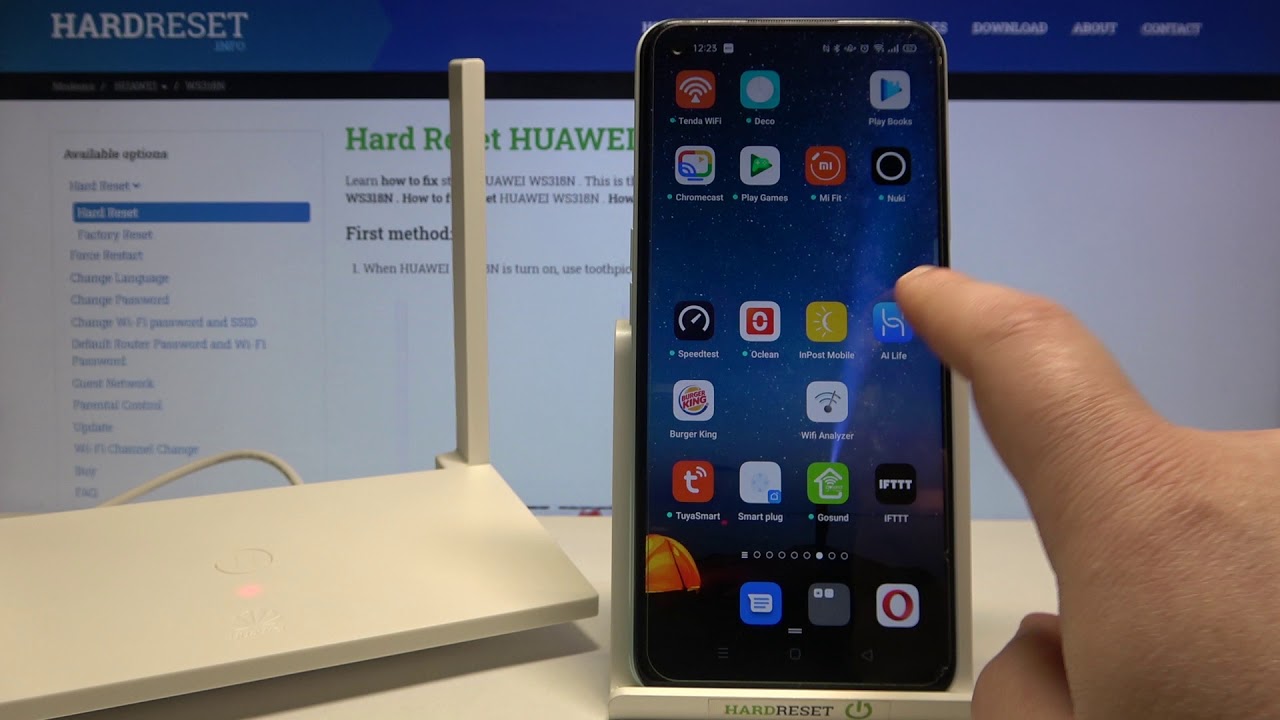
How to Add Huawei WS318n Router to the Huawei AI Life app – Connect Smartphone and Router Together
Source: Youtube.com
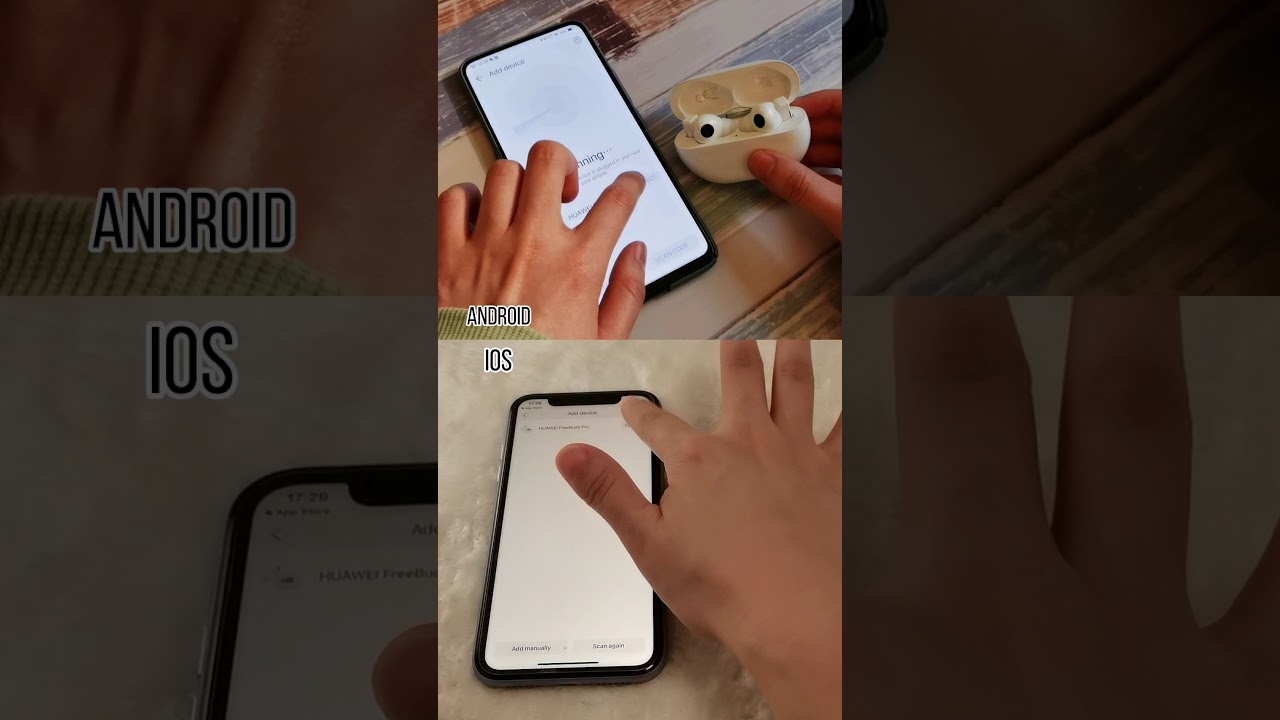
HUAWEI AI life on IOS and Android
Source: Youtube.com
What Is Ai Life App, How to Add Huawei WS318n Router to the Huawei AI Life app – Connect Smartphone and Router Together, 2.43 MB, 01:46, 39,131, HardReset.Info, 2021-03-16T13:57:19.000000Z, 2, HUAWEI AI Life on the App Store, 630 x 1200, jpg, , 3, what-is-ai-life-app
What Is Ai Life App. WebSearch for and download the latest version of AI Life from HUAWEI AppGallery. Scan the QR code at the bottom of the speaker to download and install the latest version of the AI. WebHUAWEI AI Life membantu Anda mengelola semua perangkat cerdas Anda dalam satu aplikasi yang mudah digunakan. Kendalikan saat perangkat Anda nyala, ubah.
Find out more: hardreset.info/devices/huawei/huawei-ws318n/
In this video I will show you how to add HUAWEI WS318n router to the Huawei AI Life app, it is a dedicated app to the Huawei made smart home devices including routers. Thanks to this application you will be able to perform various actions on HUAWEI WS318n router, including reset, reboot, and Wi-Fi password change. This video is complete tutorial how to connect HUAWEI WS318n router with AI Life app.
How to add HUAWEI WS318n router to the app? How to add devices in HUAWEI AI Life app? How to connect HUAWEI WS318n router in AI Life app? How to link HUAWEI WS318n router with smartphone? How to use smartphone to manage HUAWEI WS318n router?
Follow us on Instagram ► instagram.com/hardreset.info/
Like us on Facebook ► facebook.com/hardresetinfo/
Tweet us on Twitter ► twitter.com/HardresetI/
What Is Ai Life App,
HUAWEI AI Life on the App Store - Source: App Store - Apple
HUAWEI AI Life - HUAWEI Global - Source: Huawei
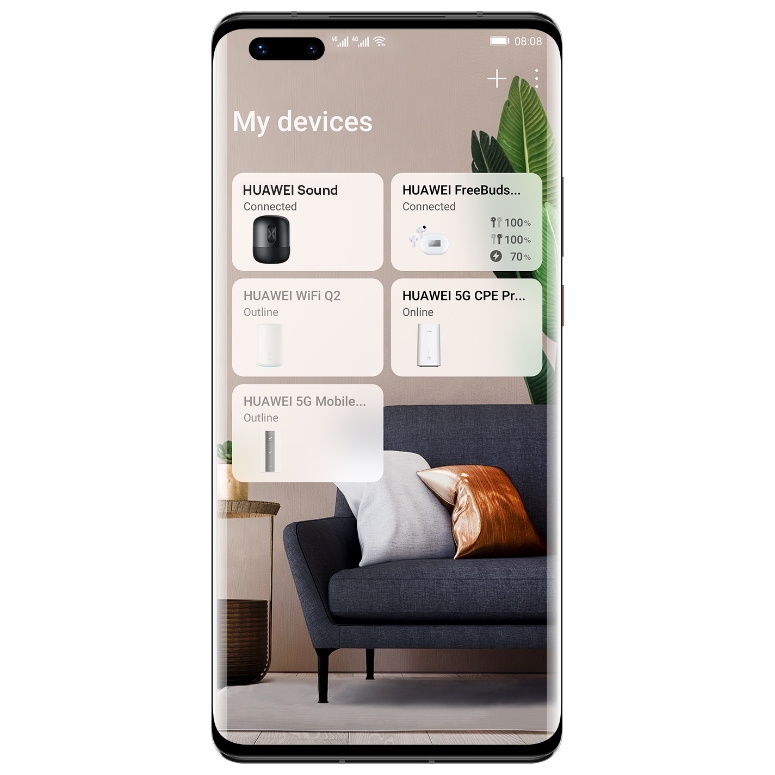
HUAWEI AI Life - HUAWEI Global - Source: Huawei
Are ai apps safe.
Are ai apps safe
Are ai apps safe What is ai life.
What is ai life
What is ai life How to use ai life app.
.
How to use ai life app
How to use ai life app What is ai life app.
.
What is ai life app
What is ai life app How to use ai life app.
consumer.huawei.com › en › supportHow to download the latest version of HUAWEI AI Life
Open the HUAWEI AppGallery website, then search for and install the AI Life app. HUAWEI AppGallery website: https://appgallery.huawei.com/ Helpful or not? Yes No. Contact Us. Learn about 'How to download the latest version of HUAWEI AI Life'. Find all usage guide, troubleshooting tips and resources for your HUAWEI product. .
consumer.huawei.com › en › supportOverview of functions in the HUAWEI AI Life app
Overview of functions in the HUAWEI AI Life app | HUAWEI Support Global. Find out more. Overview of functions in the HUAWEI AI Life app. Add your smart devices to HUAWEI AI Life app to manage them. You can: 1. Manage Huawei HiLink routers: Add your router to HUAWEI AI Life app. .
.
www.xda-developers.com › huawei-ai-lifeHUAWEI AI Life - The Smart Way to Control Life
.
.
apps.apple.com › in › appHUAWEI AI Life on the App Store
AILife is a unified platform for managing loT devices.Easily control your Wi-Fi/mobile Wi-Fi,5G and 4Grouters,earphones,speakers,smart glasses,and more . Key features: Quickly add and update smart devices with just one touch.Convenient and customizable,it gives a full all-Scenario experience. What's New. Version 13.2.0.315. .
apps.apple.com › my › appHUAWEI AI Life on the App Store
AILife is a unified platform for managing loT devices.Easily control your Wi-Fi/mobile Wi-Fi,5G and 4Grouters,earphones,speakers,smart glasses,and more . Key features: Quickly add and update smart devices with just one touch.Convenient and customizable,it gives a full all-Scenario experience. What's New. Version History. Version 13.2.1.307. .
.
.
apps.apple.com › us › appHUAWEI AI Life on the App Store
Free. iPhone Screenshots. AILife is a unified platform for managing loT devices.Easily control your Wi-Fi/mobile Wi-Fi,5G and 4Grouters,earphones,speakers,smart glasses,and more . Key features: Quickly add and update smart devices with just one touch.Convenient and customizable,it gives a full all-Scenario experience. What's New. Version History. .
consumer.huawei.com › en › mobileservicesHUAWEI AI Life - HUAWEI Global
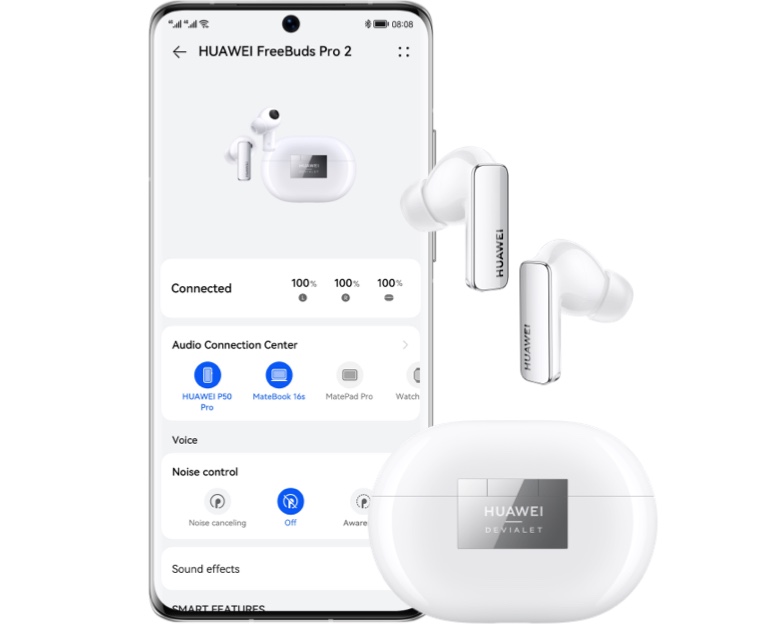
Manage all your smart devices in a single app — to live life your way. HUAWEI AI Life helps you manage all your smart devices in one convenient, easy-to-use application. Control when your devices turn on, change the settings, and gain access to the built-in smart features, all with just a few taps. .
.


Post a Comment