

AI, or artificial intelligence, is rapidly transforming many industries, including photography and graphic design. Adobe Photoshop is one of the most popular software programs for photo editing and image creation, and it is increasingly incorporating AI-powered features.
AI in Photoshop can be used for a variety of tasks, such as:
- Content-aware fill: This tool uses AI to seamlessly fill in areas of an image that have been removed or replaced. For example, you can use it to remove unwanted objects from a photo, or to add new elements to a scene.
- Select and mask: AI can help you to quickly and accurately select specific objects or areas in an image, even if they have complex edges. This can be useful for tasks such as removing backgrounds, creating masks, and editing portraits.
- Coloring and toning: AI can help you to improve the color and tone of your images with just a few clicks. For example, you can use AI to automatically adjust the white balance, brightness, and contrast of your images, or to create custom color effects.
- Upscaling: AI can be used to upscale images without sacrificing quality. This can be useful for printing images at large sizes, or for sharing high-resolution images online.
- Creative effects: AI can be used to create a variety of creative effects, such as generating realistic textures and patterns, or transforming images into different art styles.
How to use AI in Photoshop
To use AI in Photoshop, you will need to have the latest version of the software installed. Once you have updated Photoshop, you can access the AI-powered features by going to the Filter menu and selecting Neural Filters.
The Neural Filters menu contains a variety of AI-powered tools, organized into different categories. To use a tool, simply select it from the list and then adjust the settings to your liking. For example, if you want to use the content-aware fill tool, you would select it from the list and then draw a selection around the area that you want to fill. Photoshop will then use AI to automatically fill in the selection with pixels from the surrounding area.
Examples of how to use AI in Photoshop
Here are a few examples of how you can use AI in Photoshop to improve your workflow and create stunning images:
- Remove unwanted objects from a photo: If you have a photo that is perfect except for a few unwanted objects, you can use AI to remove them without sacrificing quality. For example, you could use AI to remove a person or object from a landscape photo, or to remove blemishes from a portrait.
- Create a new background for a photo: If you don't like the background of a photo, you can use AI to create a new one. For example, you could use AI to add a new backdrop to a portrait, or to change the scene of a landscape photo.
- Upscale an image for printing: If you want to print an image at a large size, you can use AI to upscale it without sacrificing quality. This will ensure that your prints look sharp and detailed.
- Create a creative effect: AI can be used to create a variety of creative effects, such as generating realistic textures and patterns, or transforming images into different art styles. For example, you could use AI to create a watercolor painting effect, or to turn a photo into a pencil drawing.
Limitations of AI in Photoshop
While AI is a powerful tool, it is important to note that it is still under development. This means that there are some limitations to the AI-powered features in Photoshop. For example, the content-aware fill tool may not always produce perfect results, especially if the area that you are trying to fill is complex. Additionally, the AI-powered creative effects can sometimes be unpredictable.
Tips for using AI in Photoshop
Here are a few tips for using AI in Photoshop:
- Use the right tool for the job: There are a variety of AI-powered tools available in Photoshop, so it is important to choose the right one for the task at hand. For example, if you want to remove an object from a photo, you would use the content-aware fill tool. If you want to create a new background for a photo, you would use the select and mask tool and then add a new layer.
- Experiment with the settings: AI-powered tools are often very versatile, so don't be afraid to experiment with the settings to get the desired results. For example, you can adjust the amount of blur that is applied
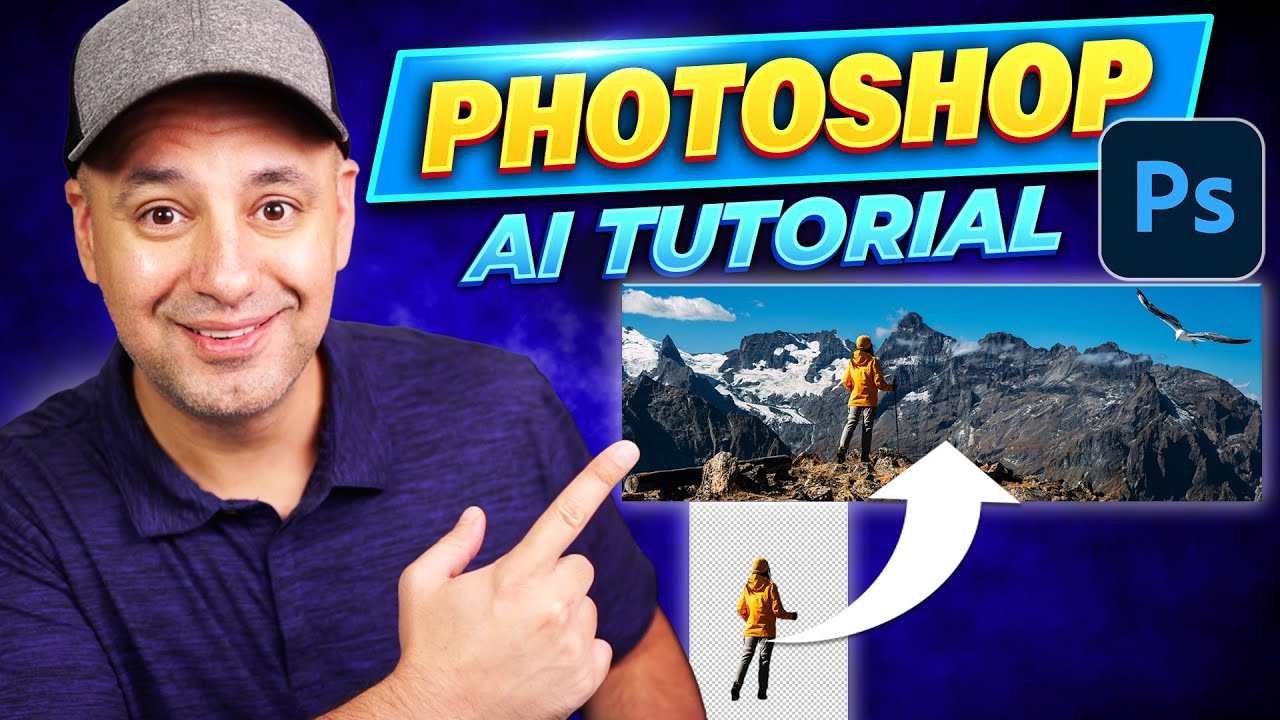
Photoshop Ai - Biggest Ai Update for Design
Source: Youtube.com
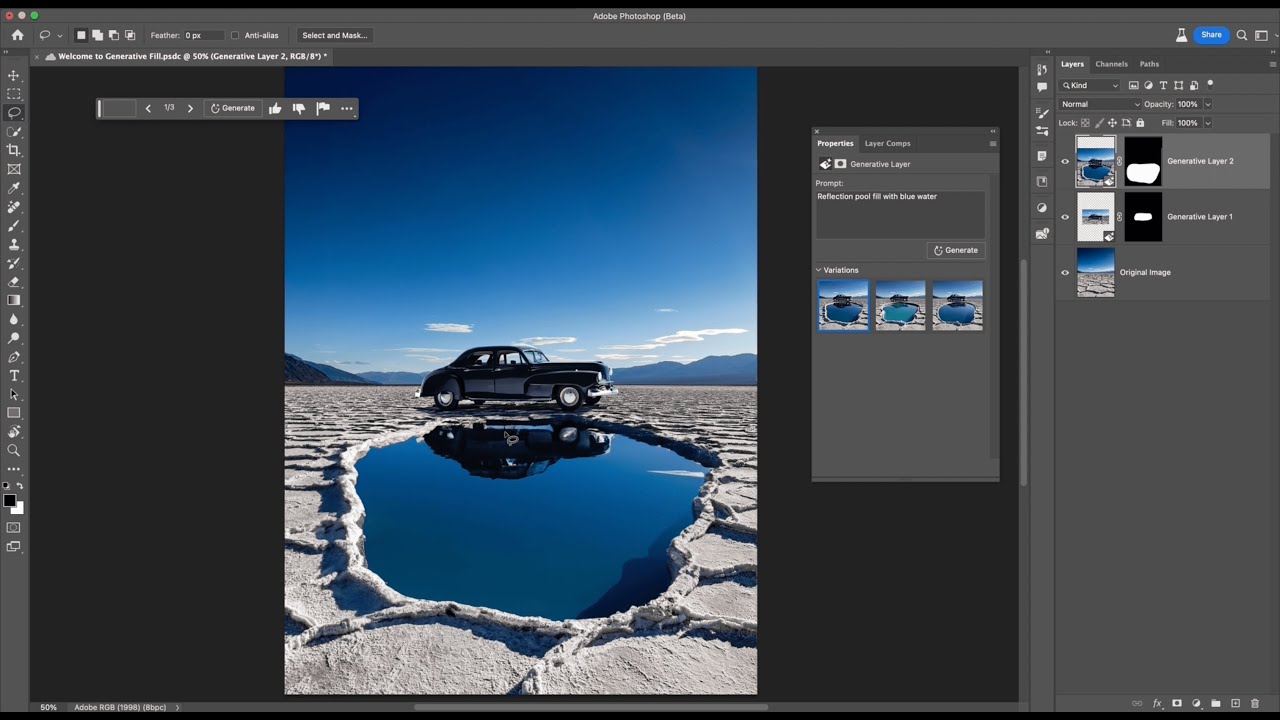
Introduction to Generative Fill | Adobe Photoshop
Source: Youtube.com
What Is Ai In Photoshop, Photoshop Ai - Biggest Ai Update for Design, 8.65 MB, 06:18, 571,932, Howfinity, 2023-05-24T18:28:37.000000Z, 2, Photoshop: Now the world's most advanced AI application for creatives, 510 x 750, jpg, , 3, what-is-ai-in-photoshop
What Is Ai In Photoshop. WebThe future of Photoshop is here with Generative AI. Make any creative vision reality while keeping complete control over every concept with Adobe Firefly generative AI in Photoshop. Try select generative AI features in your browser right now with Photoshop. WebStart with an image, type your prompts, and create a whole new world with the Firefly-powered generative AI features in Photoshop on the web. Try the web app. WebMasa depan Photoshop telah hadir bersama Generative AI. Wujudkan visi kreatif apa pun menjadi kenyataan sambil tetap memegang kendali penuh atas setiap konsep dengan AI.
Adobe Photoshop can now generate objects, edit image and a lot more with text prompts. The power of Adobe Firefly's generative Ai is now part of Photoshop.
Currently, you need to download and install the beta version of Photoshop in order to access Adobe Firefly for Photoshop.
Here is a link to Adobe Creative Cloud (affiliate link)
bit.ly/HowfinityCC
To use the generative Ai fill in Photoshop, all you have to do is select an area with the selection marquee tool, type in a text prompt, and it will create that object for you.
You can also extend you canvas and extend your image. With generative fill in Photoshop, any change is a text prompt away.
Learning ChatGPT, Midjourney and AI just got way easier. Check out the ultimate AI learning platform. bit.ly/skillleapai
What Is Ai In Photoshop,
Photoshop: Now the world's most advanced AI application for creatives - Source: blog.adobe.com

The future of Photoshop is here with Generative AI and new innovations to accelerate creative workflows | Adobe Blog - Source: blog.adobe.com
/cdn.vox-cdn.com/uploads/chorus_asset/file/24116780/ezgif_1_5a1dffbcaf.jpg "What Is Ai In Photoshop")
Adobe Photoshop is getting new AI-powered features - The Verge - Source: theverge.com
Difference between ai and photoshop
Difference between ai and photoshop Ad related to: What Is Ai In Photoshop What is generative ai in photoshop.
What is generative ai in photoshop
What is generative ai in photoshop What is ai file in photoshop.
What is ai file in photoshop
What is ai file in photoshop What is firefly ai in photoshop.
.
What is firefly ai in photoshop
What is firefly ai in photoshop What is ai in photoshop.
.
What is ai in photoshop
What is ai in photoshop What is firefly ai in photoshop.
blog.adobe.com › en › publishThe future of Photoshop is here with Generative AI and new ...
The Remove Tool is an AI-powered feature that enables you to replace an unwanted object by simply brushing over it, preserving the integrity of nearby objects and providing an uninterrupted transition on complex and varied backgrounds. .
helpx.adobe.com › photoshop › usingCommon questions about generative AI features in Photoshop
Photoshop is the first Creative Cloud app to natively integrate Adobe Firefly, Adobe's powerful generative AI technology. Users can leverage the power of Adobe Firefly directly in Photoshop to enrich their creative process and creative outputs. How are Generative Fill and Generative Expand different from other tools in Photoshop? .
Ad related to: What Is Ai In Photoshop .
blog.adobe.com › en › publishPhotoshop: Now the world's most advanced AI application for ...
With it we introduce five major new artificial intelligence features. These new features, added to the already robust Adobe Sensei AI and machine learning features you rely on every day, make Photoshop the world's most advanced AI application for creatives. This smart use of technology enables you to work faster than ever before so you have , .
Adobe Photoshop Learn More - Generative AI in Photoshop
Photoshop Now with Adjustment Presets, Remove Tool, Contextual Task Bar, & Gradients. Enabling You to Make Complex Edits & Create Unique Designs While Saving Time. Learn More! .
www.adobe.com › in › productsAI photo editing with Photoshop - online & desktop - Adobe
The future of Photoshop is here with Generative AI. Make any creative vision a reality while keeping complete control over every concept with features powered by Firefly generative AI in Photoshop. Try select generative AI features in your browser right now with Photoshop on the web or on the iPad app. Go from a little to a lot. .
www.adobe.com › products › photoshopGenerative Fill - AI Image Filler - Adobe Photoshop
AI fast meets Photoshop fine-tuning. Create more with complete control. Integrated into Photoshop, you can use Generative Fill and Generative Expand to make powerful edits and additions to images, then perfect them with Photoshop's precise editing tools. .
phlearn.com › ultimate-guide-to-ai-in-photoshopThe Ultimate Guide to AI in Photoshop: Generative Fill & More
Photoshop. Start Watching. Description. Get ready to embark on an exciting adventure into the world of AI-powered editing. You'll discover how artificial intelligence is transforming Photoshop, giving you the power to expand images, remove unwanted objects like a pro, replace backgrounds effortlessly, and create stunning artistic effects. .
www.adobe.com › products › photoshopPhotoshop AI Photo Editor - Adobe
Tap into the power of AI photo editing. Perfect your images faster than ever with Generative Fill and Generative Expand in Photoshop. Add content, remove distractions, expand images, replace backgrounds in a few steps, and more with AI. .
.
.
Adobe Photoshop Learn More - Generative AI in Photoshop
Photoshop Now with Adjustment Presets, Remove Tool, Contextual Task Bar, & Gradients. Enabling You to Make Complex Edits & Create Unique Designs While Saving Time. Learn More! Difference between ai and photoshop.


Post a Comment