
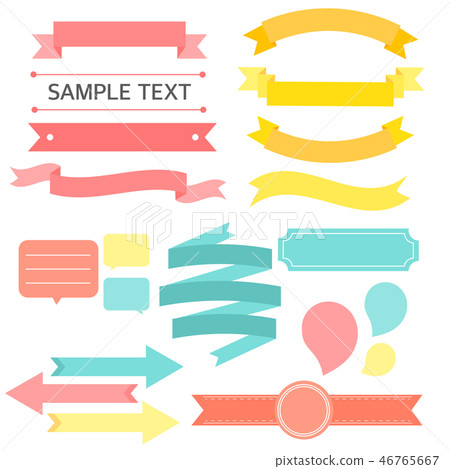
A title text box is a graphical object that can be added to a document, presentation, or web page to display a title or heading. Title text boxes are often used to highlight important information, such as the title of a document, the name of a speaker, or the topic of a web page.
Title text boxes can be formatted in a variety of ways, including changing the font, size, color, and alignment of the text. They can also be used to display images or other graphics.
How to use a title text box
To use a title text box, simply insert it into the document, presentation, or web page where you want it to appear. Once the text box is in place, you can type in your title or heading and format it to your liking.
If you are using a word processing program, such as Microsoft Word, to create a title text box, you can insert it by going to the Insert tab and clicking on the Text Box button. Then, simply draw a text box on the page and type in your title or heading.
If you are using a presentation program, such as Microsoft PowerPoint, to create a title text box, you can insert it by going to the Insert tab and clicking on the Text Box button. Then, click on the Title option and select the style of title text box you want to use.
If you are creating a web page, you can insert a title text box by using the following HTML code:
<div class="title-text-box"> <h2>Your title here</h2> </div> You can then style the title text box using CSS.
Benefits of using a title text box
There are several benefits to using a title text box, including:
- Highlight important information: Title text boxes can be used to highlight important information, such as the title of a document, the name of a speaker, or the topic of a web page. This can help people to quickly scan a document or web page and find the information they are looking for.
- Improve readability: Title text boxes can be used to improve the readability of a document or web page. By using a larger font size or a different font style for the title, you can make it stand out from the rest of the text and make it easier to read.
- Add visual interest: Title text boxes can be used to add visual interest to a document or web page. By using a different color or border style for the title text box, you can make it stand out from the rest of the text and make the document or web page more visually appealing.
Examples of how to use a title text box
Here are a few examples of how to use a title text box:
- Document title: You can use a title text box to display the title of a document, such as a research paper, a business proposal, or a newsletter.
- Presentation title: You can use a title text box to display the title of a presentation, such as a sales pitch, a training presentation, or a lecture.
- Web page title: You can use a title text box to display the title of a web page, such as the company homepage, a product page, or a blog post.
- Section heading: You can use a title text box to display the heading of a section within a document, presentation, or web page. For example, you could use a title text box to display the heading of a chapter in a book, a section in a business proposal, or a module in an online course.
- Image caption: You can use a title text box to display the caption for an image. This can help people to understand what the image is about and how it relates to the rest of the text.
Tips for using a title text box
Here are a few tips for using a title text box effectively:
- Use a clear and concise title: The title should be clear and concise so that people can quickly understand what the document, presentation, or web page is about.
- Use a large font size: The title should be in a large font size so that it stands out from the rest of the text.
- Use a different font style: You can use a different font style for the title to make it stand out even more.
- Use a different color: You can use a different color for the title text box to make it stand out even more.
- Use a border: You can add a border to the title text box to make it stand out even more.
By following these tips, you can use a title text box to effectively highlight important information, improve readability, and add visual interest to your documents, presentations, and web pages.
**Here are some additional tips for
WebYou can find & download the most popular Text Box Title Vectors on Freepik. Remember that these high-quality images are free for commercial use. Freepik is made for creative. WebThe best selection of Royalty Free Title Text Box Vector Art, Graphics and Stock Illustrations. Download 11,000+ Royalty Free Title Text Box Vector Images. VectorStock®. WebThe best selection of Royalty Free Title Box Vector Art, Graphics and Stock Illustrations. Download 14,000+ Royalty Free Title Box Vector Images. WebFind & Download Free Graphic Resources for Title Box. 94,000+ Vectors, Stock Photos & PSD files. Free for commercial use High Quality Images You can find & download the.
Title text box - Stock Illustration [46765667] - PIXTA
Source: pixtastock.com
Title Text Box PNG Transparent Images Free Download | Vector Files | Pngtree

Source: pngtree.com
Title Text Box PNG Transparent Images Free Download | Vector Files | Pngtree

Source: pngtree.com
What Is Title Text Box, Create Perfect Line Box Title Animations in After Effects #tutorial, 1.01 MB, 00:44, 13,810, SonduckFilm, 2023-07-15T15:42:48.000000Z, 2, Title text box - Stock Illustration [46765667] - PIXTA, pixtastock.com, 468 x 450, jpg, , 3, what-is-title-text-box
What Is Title Text Box.
Create Perfect Line Box Title Animations in After Effects
► After Effects & Premiere Pro Template Pack
750 Motion Graphics Pack: bit.ly/750MGAP
► Free 100 Template Pack for AE & Premiere here:
bit.ly/Free100Templates
#aftereffects #animation #motiongraphics
Title text box - Stock Illustration [46765667] - PIXTA
What Is Title Text Box, WebThe best selection of Royalty Free Title Text Box Vector Art, Graphics and Stock Illustrations. Download 11,000+ Royalty Free Title Text Box Vector Images. VectorStock®. WebThe best selection of Royalty Free Title Box Vector Art, Graphics and Stock Illustrations. Download 14,000+ Royalty Free Title Box Vector Images. WebFind & Download Free Graphic Resources for Title Box. 94,000+ Vectors, Stock Photos & PSD files. Free for commercial use High Quality Images You can find & download the.
Create Perfect Line Box Title Animations in After Effects #tutorial
Source: Youtube.com
Use this Power BI feature to display custom message or titles

Source: Youtube.com
support.microsoft.com › en-us › officeAdd, copy, or remove a text box in Word - Microsoft Support
A text box is an object you can add to your document that lets you put and type text anywhere in your file. Text boxes can be useful for drawing attention to specific text and can also be helpful when you need to move text around in your document. Windows Web macOS Add a text box .
What is title box.
What is title box
What is title box What is title text.
.
What is title text
What is title text What is the best title for the text box.
.
What is the best title for the text box
What is the best title for the text box What is title text.
.
techterms.com › definition › text_boxText Box Definition - TechTerms.com
A text field is small box that allows you to enter a single line of text. It is used for entering basic values, such as a name, number, or short phrase. A text area is a larger box that allows you to enter multiple lines of text. Generally, pressing Enter in a text area will enter a newline character, creating a line break. .
.
nutsandboltsspeedtraining.com › powerpointShapes vs. Text Boxes vs. Placeholders (Microsoft PowerPoint)
Open the Shapes dropdown menu. Select a shape or a text box. Draw the shape or text box on your slide. The main difference between a Shape and a Text Box is the default formatting that they start with. By default, PowerPoint Text Boxes start with: Vertical Alignment set to Top. Text set to Resize shape to fit text. .
.
.
.
.
en.wikipedia.org › wiki › Text_boxText box - Wikipedia
A text box [a] is a control element of a graphical user interface, that should enable the user to input text information to be used by a program. [1] [2] Human Interface Guidelines recommend a single-line text box when only one line of input is required, and a multi-line text box only if more than one line of input may be required. Non-editable , .
www.computerhope.com › jargon › tWhat is a Text Box? - Computer Hope
Alternatively called a text field, a text box is a section or object on a page that allows a user to enter text. Text boxes are used on the Internet for pages requiring user input. You may also see a text box in a word processing program when creating a form that requires a user to enter information. Examples of text boxes Creating an HTML text box .
.
www.howtogeek.com › 360034 › how-to-create-andHow to Create and Format a Text Box in Microsoft Word
Text boxes let you emphasize or bring focus to specific text in a Microsoft Word document. You can choose from a variety of preformatted text boxes, or draw and format your own. They're great for adding things like pull quotes, or even for laying out text and images on things like flyers. .


Post a Comment