
Text colour is the colour of the text displayed on a screen or page. It is one of the most important elements of typography, as it can affect the readability, legibility, and overall aesthetic of the text.
Text colour can be specified in a variety of ways, including:
- Color names: This is the most common way to specify text colour, and involves using names such as "red", "green", "blue", "black", and "white".
- Hexadecimal values: Hexadecimal values are six-digit numbers that represent a specific colour. For example, the hexadecimal value for red is
#FF0000. - RGB values: RGB values represent a colour using three numbers, each of which represents the amount of red, green, and blue in the colour. For example, the RGB value for red is
(255, 0, 0).
Choosing the right text colour
When choosing the right text colour for your content, there are a few things to keep in mind:
- Readability: The most important factor is to choose a colour that is easy to read. This means avoiding colours that are too light or too dark, and avoiding colours that clash with the background colour.
- Legibility: Text colour should also be legible, which means that it should be easy to distinguish the individual characters. This is especially important for small text sizes.
- Aesthetics: Text colour can also be used to create a specific aesthetic for your content. For example, you might use a bright colour to make your text stand out, or a muted colour to create a more calming and professional look.
Using text colour in different contexts
Text colour can be used in a variety of different contexts, including:
- Websites and web applications: Text colour is one of the key elements of web design. It is used to create a visually appealing and easy-to-read interface.
- Printables: Text colour is also important for printables, such as brochures, flyers, and posters. You want to choose colours that will print well and be easy to read.
- Presentations: Text colour can also be used to enhance your presentations. You can use different colours to highlight important information, create a sense of hierarchy, and make your slides more visually appealing.
Tips for using text colour effectively
Here are a few tips for using text colour effectively:
- Use high-contrast colours: High-contrast colours are easier to read than low-contrast colours. This is especially important for small text sizes.
- Use a limited colour palette: Using too many different colours can make your content look cluttered and unprofessional. Instead, try to stick to a limited colour palette of two or three colours.
- Use colour to highlight important information: You can use colour to highlight important information in your content. For example, you might use a bold colour for headings or a different colour for call-to-action buttons.
- Be consistent with your text colour: Once you have chosen a text colour, try to use it consistently throughout your content. This will create a more visually appealing and professional look.
Conclusion
Text colour is an important element of typography that can affect the readability, legibility, and overall aesthetic of your content. By choosing the right text colour and using it effectively, you can create content that is both informative and visually appealing.
Keyword Silo
A keyword silo is a way of organizing your website's content around a specific set of keywords. This helps to improve your website's ranking in search engine results pages (SERPs) for those keywords.
To create a keyword silo, you first need to identify the keywords that you want to rank for. Once you have identified your keywords, you need to create a hierarchy of related keywords. This hierarchy should start with the most general keywords and work its way down to the more specific keywords.
For example, if you are a website that sells shoes, your keyword hierarchy might look like this:
- Shoes
- Men's shoes
- Women's shoes
- Running shoes
- Basketball shoes
- Casual shoes
Once you have created your keyword hierarchy, you need to create content that is relevant to each keyword. This content should be well-written and informative, and it should include the relevant keywords throughout the content.
You should also link between your pages in a way that supports your keyword hierarchy. For example, you might link from your "Shoes" page to your "Men's shoes" page and your "Women's shoes" page. You might also link from your "Men's shoes" page to your "Running shoes", "Basketball shoes", and "Casual shoes" pages.
By creating a keyword silo and organizing your website's content around a specific set of keywords, you can improve your website's ranking in SERPs and attract
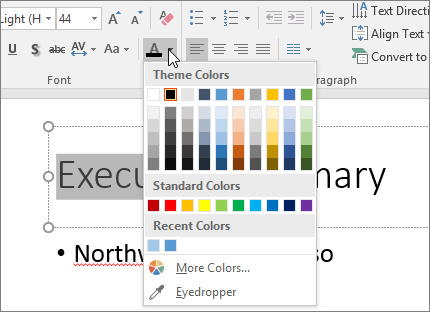
Web2 years ago. The HTML style attribute is used to add styles to an element, such as color, font, size, and more. Read on how to change the color of text in this tutorial:. WebSimilar to the contextual text color classes, easily set the background of an element to any contextual class. Anchor components will darken on hover, just like the text classes.. WebSelect the text that you want to change. On the Home tab, in the Font group, choose the arrow next to Font Color, and then select a color. You can also use the formatting. WebColor contrast ratio is determined by comparing the luminosity of the text and background color values. In order to meet current Web Content Accessibility Guidelines. WebText Color. The color property is used to set the color of the text. The color is specified by: a color name - like "red" a HEX value - like "#ff0000" an RGB value - like "rgb(255,0,0)".
What is the definition of font color? - Quora
Source: quora.com
Which font colors show up the best on a white background? - Quora
Source: quora.com
Change the color of text on a slide - Microsoft Support
Source: support.microsoft.com
What Is The Text Colour, Text Highlight and Font Color in Microsoft Word, 3.57 MB, 02:36, 53,995, Umair Butt, 2019-07-26T05:53:25.000000Z, 2, What is the definition of font color? - Quora, quora.com, 483 x 602, jpg, , 3, what-is-the-text-colour
What Is The Text Colour. WebText Color. You can set the color of text: Hello World. Lorem ipsum dolor sit amet, consectetuer adipiscing elit, sed diam nonummy nibh euismod tincidunt ut laoreet dolore magna aliquam erat volutpat. Ut wisi enim ad minim veniam, quis nostrud exerci tation.
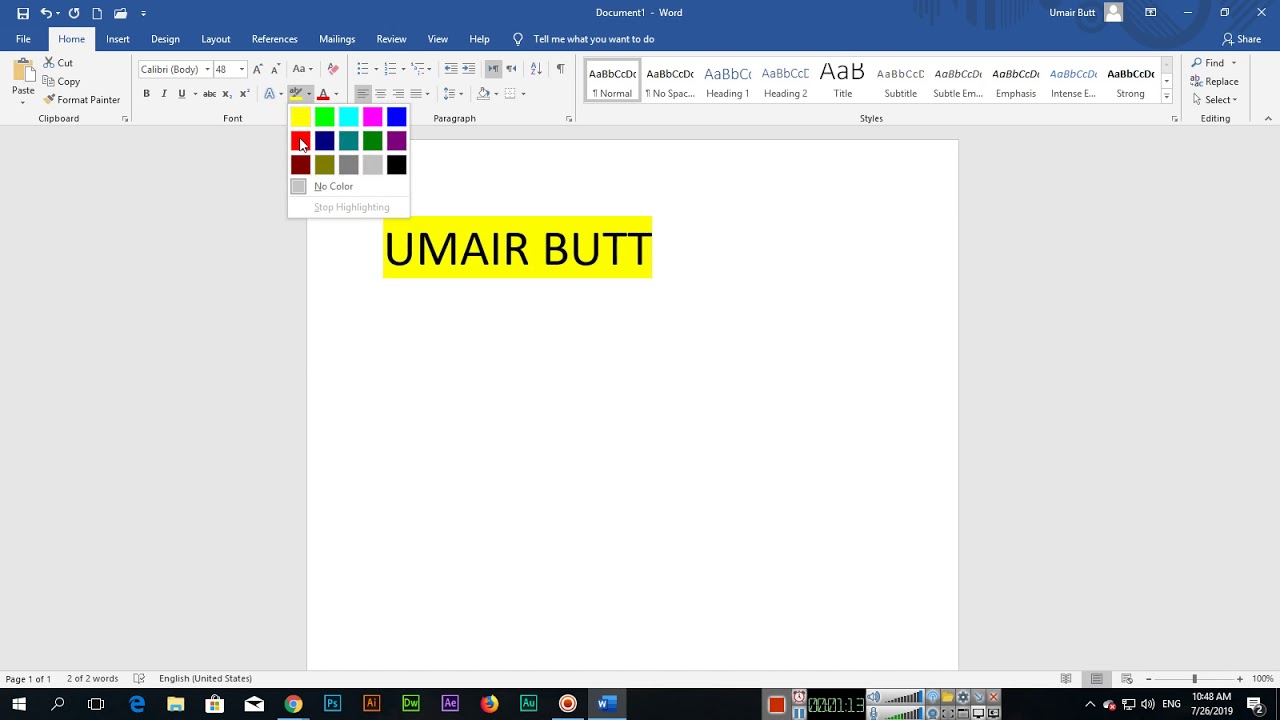
In this video, you can learn how to change the text highlight and font or text color in the Microsoft Word. Also, learn how to apply some gradient effect to your text in ms word.
learneasycode.com
#MicrosoftWordColorTutorial
What is the definition of font color? - Quora
What Is The Text Colour, WebSelect the text that you want to change. On the Home tab, in the Font group, choose the arrow next to Font Color, and then select a color. You can also use the formatting. WebColor contrast ratio is determined by comparing the luminosity of the text and background color values. In order to meet current Web Content Accessibility Guidelines. WebText Color. The color property is used to set the color of the text. The color is specified by: a color name - like "red" a HEX value - like "#ff0000" an RGB value - like "rgb(255,0,0)".
Text Highlight and Font Color in Microsoft Word
Source: Youtube.com
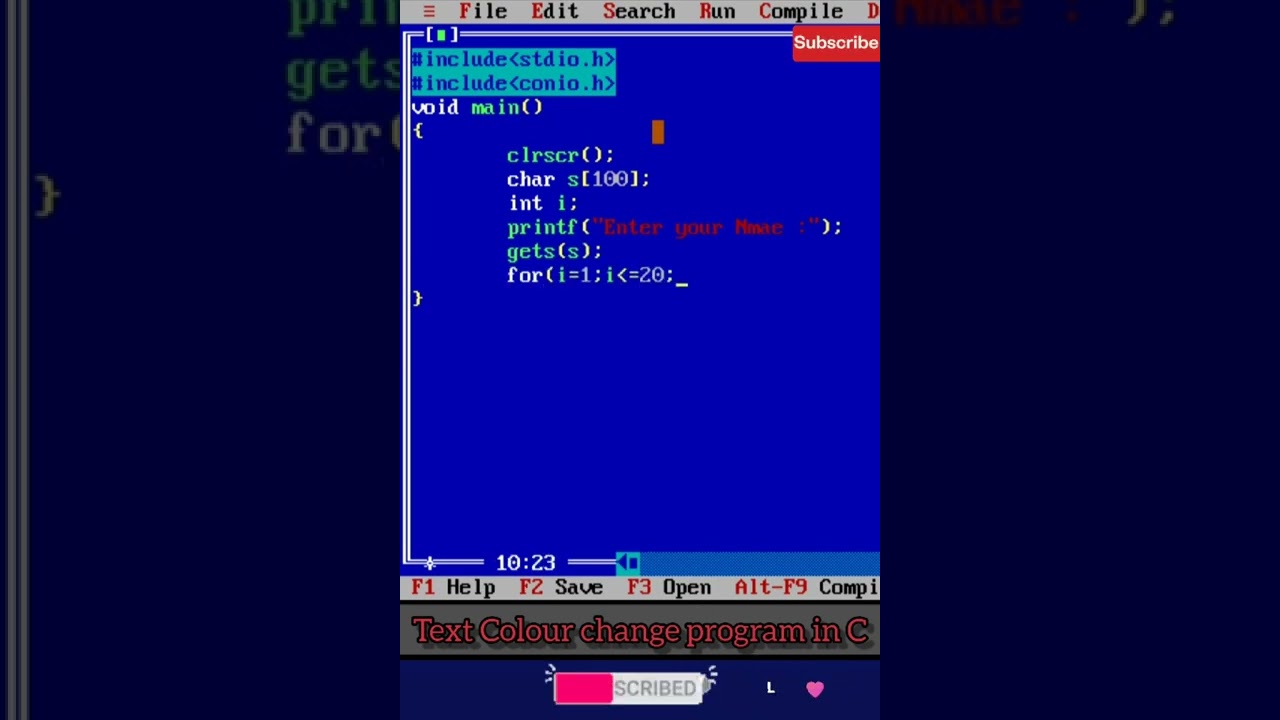
#31 Change text colour in C programming | change text color in c language | #shorts #teach_techno
Source: Youtube.com
What is font colour in ms word
What is font colour in ms word What is font colour.
What is font colour
What is font colour What is the color of text.
What is the color of text
What is the color of text What is text colour in html.
.
What is text colour in html
What is text colour in html What is the text colour.
.
What is the text colour
What is the text colour What is text colour in html.
www.w3schools.com › html › html_colorsHTML Colors - W3Schools
Previous Next HTML colors are specified with predefined color names, or with RGB, HEX, HSL, RGBA, or HSLA values. Color Names In HTML, a color can be specified by using a color name: Tomato Orange DodgerBlue MediumSeaGreen Gray SlateBlue Violet LightGray Try it Yourself » HTML supports 140 standard color names. Background Color .
support.microsoft.com › en-us › officeChange the default text color (font color) in Word ...
Windows macOS Web Open the template or a document based on the template whose default settings you want to change. Go to Home and select the Font dialog launcher . Select the arrow next to Font color, and then choose a color. Select Set As Default and then select one of the following: This document only? .
.
.
.
.
.
.
What do text colors mean.
What do text colors mean www.computerhope.com › htmcolorHTML Color Codes and Names - Computer Hope#000000Black (W3C)#040720Black Blue#0C090ANight#34282CCharcoal
What do text colors mean HTML help HTML color codes and names Updated: 02/04/2024 by Computer Hope HTML color codes are hexadecimal triplets representing the colors red, green, and blue (#RRGGBB). For example, in the color red, the color code is #FF0000, which is '255' red, '0' green, and '0' blue. What are txt colors.
What are txt colors support.microsoft.com › en-us › officeChange the color of text - Microsoft Support
What are txt colors Click Home > Font Color arrow > More Colors. On the Custom tab, in the Colors box, select the color you want. If you know the color numbers of a specific color, pick RGB (Red, Green, Blue) or HSL (Hue, Sat, Lum) in the Color model box, and then enter the numbers to match the exact color shade you want. Omg what is the colour of text.
Omg what is the colour of text support.microsoft.com › en-us › officeChange the font color - Microsoft Support
Omg what is the colour of text Tips: If you don't see the color that you want, choose More Colors, and then select a color on the Standard tab, or mix your own color on the Custom tab. To change the color, transparency, and shade of the text, choose Gradient. The Gradient tool is not available in Word 2007. Need more help? Want more options? Discover Community What is font colour in ms word.


Post a Comment