
What Is The Green Text Bubble?
What does a green text bubble mean?
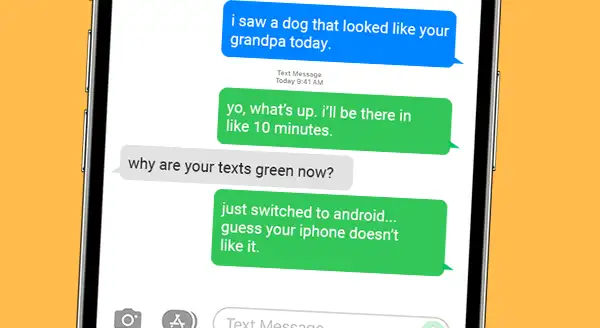
Green text bubbles are used in messaging apps to indicate that a message was sent using SMS or MMS instead of a proprietary messaging service like iMessage or WhatsApp. SMS and MMS are standard messaging protocols that are supported by all smartphones, regardless of manufacturer or operating system. However, they have some limitations compared to proprietary messaging services, such as smaller file size limits and a lack of end-to-end encryption.
Why are some text bubbles green?
There are a few reasons why a text bubble might be green:
- The person you're texting is using an Android phone. iPhones use iMessage to communicate with other iPhones, but iMessage is not available on Android.
- You're in a group chat with people who are using both iPhones and Android phones. iMessage will only use SMS or MMS for messages in group chats that include non-iPhone users.
- You're not connected to the internet. iMessage requires an internet connection to send and receive messages. If you're not connected to the internet, iMessage will use SMS or MMS instead.
- You're texting someone who has blocked you. If someone has blocked you, they won't be able to receive your iMessages. Instead, your messages will be sent as SMS or MMS, which will appear in a green text bubble.
How to avoid green text bubbles
If you want to avoid sending green text bubbles, you can do the following:
- Make sure that you and the person you're texting are both using the same messaging app. If you're both using iPhones, make sure that iMessage is enabled on both devices. If you're texting someone who is using an Android phone, you can use a third-party messaging app like WhatsApp or Telegram.
- Make sure that you're connected to the internet. If you're not connected to the internet, iMessage will use SMS or MMS instead, which will appear in a green text bubble.
- If you're sending a message to a group chat, make sure that all of the members of the group chat are using the same messaging app. If the group chat includes non-iPhone users, iMessage will use SMS or MMS for all messages in the group chat.
The social implications of green text bubbles
Green text bubbles have become a social symbol in some circles. Some people use them to identify people who are using Android phones, while others use them to identify people who are not part of their social group. In some cases, green text bubbles can even be used as a form of bullying or exclusion.
The future of green text bubbles
As more and more people switch to smartphones that support proprietary messaging services like iMessage and WhatsApp, green text bubbles may become less common. However, they are likely to remain a part of the messaging landscape for many years to come.
How to change the color of text bubbles on iPhone
There is no way to change the color of text bubbles on iPhone. Green text bubbles are used to indicate that a message was sent using SMS or MMS, and blue text bubbles are used to indicate that a message was sent using iMessage. The color of the text bubble is determined by the messaging service that is being used, and it cannot be changed by the user.
How to change the color of text bubbles on Android
There are a few ways to change the color of text bubbles on Android. One way is to use a third-party messaging app like WhatsApp or Telegram. These apps allow you to customize the appearance of the app, including the color of the text bubbles.
Another way to change the color of text bubbles on Android is to use a custom theme. Some custom themes include changes to the appearance of the messaging app, such as the color of the text bubbles.
To change the color of text bubbles on Android using a custom theme, follow these steps:
- Open the Settings app on your Android phone.
- Tap on Display.
- Tap on Themes.
- Select the custom theme that you want to use.
- Tap on Apply.
How to make text bubbles transparent on Android
There is no way to make text bubbles transparent on Android. The appearance of the messaging app is determined by the messaging app itself, and there is no way to customize it beyond what the messaging app allows.
How to make text bubbles bigger on Android
There are a few ways to make text bubbles bigger on Android. One way is to use the accessibility features of your Android phone. To do this, follow these steps:
- Open the Settings app on your Android phone.
- Tap on Accessibility
- Tap on Text size and font
- Adjust the slider under Font size to increase
WebGreen text bubbles on an iPhone can mean that you're texting with someone who doesn't also have an iPhone, but they also mean that the texts are not encrypted through iMessage. WebAndroid users trigger a just-a-little-less-cool green bubble: "Ew, that's gross." The iPhone maker cultivated iMessage as a must-have texting tool for teens. WebGreen and Blue Bubbles. Your iPhone's Messages app actually combines two different types of messages into one: iMessage and SMS. iMessage is Apple's.
Why Are My iPhone Messages Green? How to Use IMessage
Source: businessinsider.com
Apple intentionally made the green chat bubbles of Android text messages look gross | Boing Boing

Source: boingboing.net
What if those green bubbles aren't Android's fault? - The Hustle
Source: thehustle.co
What Is The Green Text Bubble, Blue Bubbles vs Green Bubbles: Explained!, 28.52 MB, 20:46, 5,588,446, Marques Brownlee, 2022-01-24T22:32:41.000000Z, 2, Why Are My iPhone Messages Green? How to Use IMessage, businessinsider.com, 673 x 700, jpg, , 3, what-is-the-green-text-bubble
What Is The Green Text Bubble.
Why people can't stop using the iPhone. And what should be done about it.
Links/sources:
The Ecosystem: Explained youtu.be/KB4_WIPE7vo
Horror stories with blue vs green bubbles: wsj.com/articles/why-apples-imessage-is-winning-teens-dread-the-green-text-bubble-11641618009
Explaining Google's involvement with RCS: androidpolice.com/googles-rcs-drama-with-apple-explained/?utm_source=pocket_mylist
Most popular messaging apps: statista.com/statistics/258749/most-popular-global-mobile-messenger-apps/
Apple's emails about iMessage lock-in: theverge.com/2021/4/9/22375128/apple-imessage-android-ecosystem-lock-in-epic-games-filings-app-store-dispute
Apple violating their own guidelines with green bubbles: medium.com/@_sdc/how-apple-taught-its-users-to-hate-android-through-subtle-design-cues-518cd7eda80
MKBHD Merch: shop.MKBHD.com
Tech I'm using right now: amazon.com/shop/MKBHD
Playlist of MKBHD Intro music: goo.gl/B3AWV5
~
twitter.com/MKBHD
instagram.com/MKBHD
facebook.com/MKBHD
Why Are My iPhone Messages Green? How to Use IMessage
What Is The Green Text Bubble, WebAndroid users trigger a just-a-little-less-cool green bubble: "Ew, that's gross." The iPhone maker cultivated iMessage as a must-have texting tool for teens. WebGreen and Blue Bubbles. Your iPhone's Messages app actually combines two different types of messages into one: iMessage and SMS. iMessage is Apple's.
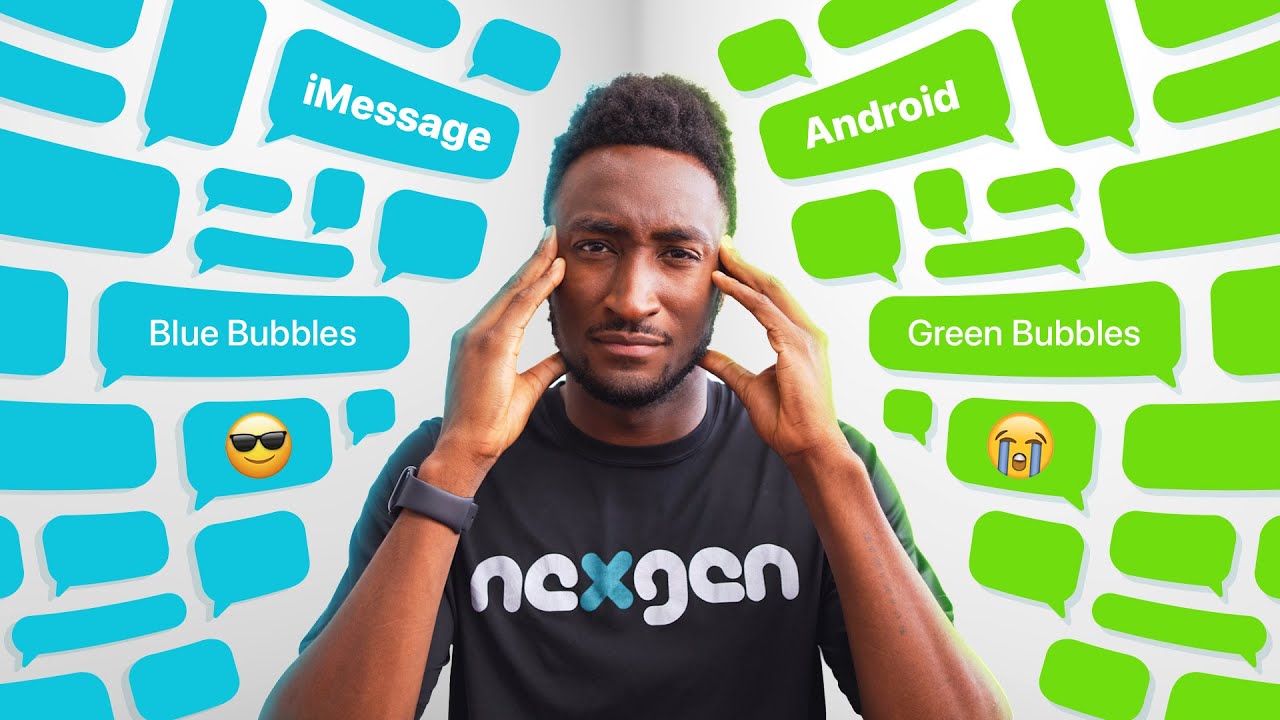
Blue Bubbles vs Green Bubbles: Explained!
Source: Youtube.com
Google Hits Back at iMessage!

Source: Youtube.com
What does green text bubble mean on android
What does green text bubble mean on android What does the green text bubble mean on iphone.
What does the green text bubble mean on iphone
What does the green text bubble mean on iphone What does the green text bubble mean.
What does the green text bubble mean
What does the green text bubble mean What is the green text bubble.
.
What is the green text bubble
What is the green text bubble What is the green text bubble mean.
.
What is the green text bubble mean
What is the green text bubble mean What is the green text bubble.
support.apple.com › en-us › HT207006What is the difference between iMessage and SMS/MMS?
SMS/MMS messages aren't encrypted and appear in green text bubbles on your device. To use SMS/MMS on an iPhone, you need a text-messaging plan. Contact your wireless carrier for more information. You can also set up your other Apple devices to send and receive messages from any Apple device. What does the green text box mean.
.
.
www.howtogeek.com › 214560 › why-are-some-iphoneWhy Are Some iMessages Green and Some Blue on My iPhone?
Messages with green bubbles are regular SMS text messages, while blue bubbles indicate messages sent via iMessage, a platform specific to Apple devices. iMessage relies on cellular data or Wi-Fi, saving users from incurring extra SMS/MMS fees and allowing messages to be sent without reliable cell service. .
.
.
.
.
What does the green text box mean www.androidauthority.com › green-bubble-phenomenonDon't forget: A green bubble on an iPhone is a person ...
What does the green text box mean Green bubble, you say? If you don't know what I'm referring to, here it is: when iPhone owners use iMessage to communicate with other iPhone owners, their message bubbles are blue. When an, What is the difference between blue and green text bubbles.
What is the difference between blue and green text bubbles
What is the difference between blue and green text bubbles What do green text bubbles mean on iphone.
What do green text bubbles mean on iphone www.bustle.com › p › what-do-the-green-bubbles-meanWhat Do The Green Bubbles Mean On iMessage? The ... - Bustle
What do green text bubbles mean on iphone Green text bubbles on an iPhone can mean that you're texting with someone who doesn't also have an iPhone, but they also mean that the texts are not encrypted through iMessage. When you send, What do green text bubbles mean.
What do green text bubbles mean support.apple.com › en-us › 105087Why are my iPhone messages green? - Apple Support
What do green text bubbles mean Why your messages appear in green bubbles instead of blue bubbles. If you see a green message bubble instead of a blue one, then that message was sent using MMS/SMS instead of iMessage. There are several possible reasons for this: The person that you sent the message to doesn't have an Apple device. iMessage is turned off on your device or on , What does green text bubble mean on android.


Post a Comment