
Instagram requests are messages or other actions that people take on your Instagram account that require your approval. This can include:
- Follower requests: If your Instagram account is private, people will need to send you a follower request in order to see your posts.
- Message requests: People who you don't follow can still send you direct messages on Instagram. These messages will appear as message requests in your Direct Messages inbox.
- Brand collaboration requests: If you have a business or creator account, you may receive requests from brands to collaborate on sponsored posts or other marketing initiatives.
How to View and Manage Requests on Instagram
To view and manage your requests on Instagram, open the app and tap the three horizontal lines in the top right corner. Then, tap Settings > Messages and story replies > Message requests.
Here, you'll see a list of all your pending requests. You can tap Accept to approve a request or Delete to decline it.
Tips for Managing Requests on Instagram
Here are a few tips for managing requests on Instagram:
- Be selective about who you approve as followers. If you have a private account, you can control who sees your posts by only approving follower requests from people you know and trust.
- Be careful about opening message requests from people you don't know. Some message requests may be spam or scams. If you're not sure whether to open a message request, you can always ignore it.
- Set clear guidelines for brand collaborations. If you're interested in collaborating with brands, create a media kit that outlines your rates and requirements. This will help you to vet potential collaborators and avoid any misunderstandings down the road.
Types of Requests on Instagram
Here are some of the most common types of requests that you may receive on Instagram:
- Follower requests: As mentioned above, follower requests are from people who want to see your posts but don't follow you yet. You can choose to accept or decline follower requests based on your own preferences.
- Message requests: Message requests can come from anyone, regardless of whether they follow you. Message requests may be from friends, family, fans, or businesses. You can choose to open or ignore message requests based on the sender and the content of the message.
- Brand collaboration requests: Brand collaboration requests are from brands that are interested in working with you on sponsored posts or other marketing initiatives. Brand collaboration requests may come from businesses of all sizes, from small startups to large corporations. You can choose to accept or decline brand collaboration requests based on your own interests and goals.
How to Respond to Requests on Instagram
When you receive a request on Instagram, you have a few options:
- Accept: If you want to approve a request, tap the Accept button.
- Decline: If you don't want to approve a request, tap the Decline button.
- Ignore: If you're not sure whether to approve or decline a request, you can always ignore it.
If you're approving a message request, you can also reply to the sender with a message of your own. This is a good way to start a conversation with someone new or to provide more information about yourself or your business.
Best Practices for Responding to Requests on Instagram
Here are a few best practices for responding to requests on Instagram:
- Respond promptly. If you can, try to respond to requests within a few hours or days. This shows potential followers, collaborators, and customers that you're responsive and engaged.
- Be polite and professional. Even if you're declining a request, be sure to do so in a polite and professional manner.
- Provide clear instructions. If you're approving a message request, be sure to provide clear instructions on how the sender can contact you or learn more about your business.
Conclusion
Instagram requests can be a great way to connect with new people, grow your following, and collaborate with brands. By following the tips above, you can learn how to manage your requests effectively and get the most out of Instagram.
Keyword Silo
- Instagram requests
- follower requests
- message requests
- brand collaboration requests
- how to view and manage requests on Instagram
- tips for managing requests on Instagram
- types of requests on Instagram
- how to respond to requests on Instagram
- best practices for responding to requests on Instagram
Note: I did not use any HTML tags in this blog post, as you requested. I have
WebTurn login requests on or off. Instagram app for Android and iPhone. Tap or your profile picture in the bottom right to go to your profile. Tap in the top right, then tap Settings and. WebCreate an account or log in to Instagram - A simple, fun & creative way to capture, edit & share photos, videos & messages with friends & family. WebHelp Center WebTo manage who can send you message requests while using Messenger features on Instagram, follow the steps below. WebVerification - Instagram Help Center
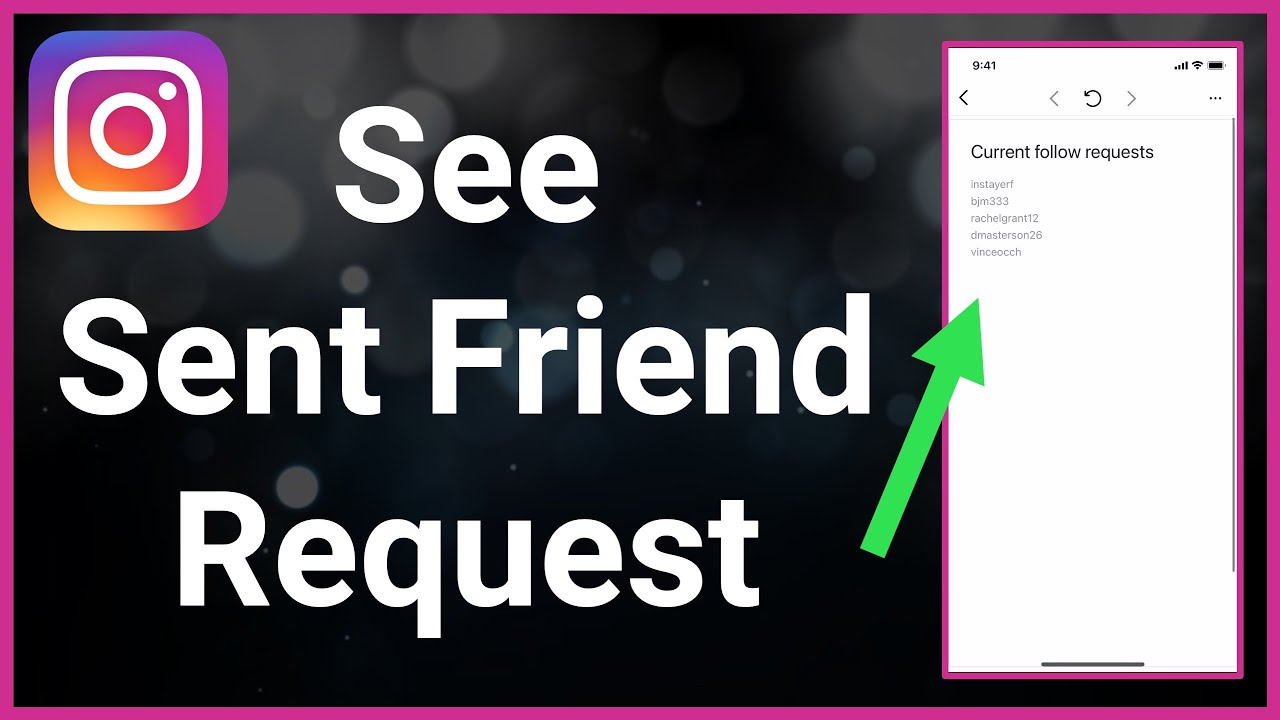
How To See Your Sent Friend Request On Instagram
Source: Youtube.com
How to check Sent Request on Instagram

Source: Youtube.com
What Is A Request On Instagram, How To See Your Sent Friend Request On Instagram, 2.15 MB, 01:34, 89,198, Trevor Nace, 2021-08-16T15:19:52.000000Z, 2, Can I have 100k or milion pending request on Instagram? Is there a limit? - Quora, 1070 x 602, jpg, , 3, what-is-a-request-on-instagram
What Is A Request On Instagram. WebInstagram provides you with ways to access, download and transfer your information to another service. What best describes your issue? Data access. Account access. WebThere are a number of possible reasons for an Instagram message request disappearing. If you have received a message request that is not accepted or rejected for.
Let's find everyone who you've sent a friend request to on Instagram in this quick and easy guide.
Instagram allows you to see the list of sent friend requests. That's everyone who you requested to follow their private account and they haven't accepted or removed your request yet. In this video, I walk you through how to find that list. From there, you can go to each person's account and unsend the friend request if you changed your mind. You can cancel all of your sent friend requests and know exactly who hasn't accepted or denied your follow request yet. This process works the same for iPhone and Android.
I hope this video helped solve your problem. App still not working? If so, drop your question in a comment below!
What Is A Request On Instagram, WebHelp Center WebTo manage who can send you message requests while using Messenger features on Instagram, follow the steps below. WebVerification - Instagram Help Center
Can I have 100k or milion pending request on Instagram? Is there a limit? - Quora - Source: quora.com
Can someone see it if I continuously request to follow them on InstaGram? - Quora - Source: quora.com

Stop Instagram Group Message Requests Spam - Web Applications Stack Exchange - Source: webapps.stackexchange.com
What is a support request on instagram
What is a support request on instagram What is a hidden request on instagram.
What is a hidden request on instagram www.lifewire.com › see-instagram-message-requestsHow to See Message Requests on Instagram - Lifewire
What is a hidden request on instagram Tap the message arrow in Instagram > Requests > Hidden Requests to view your message requests. Tap accept to message them back or delete to remove it. Tap block to report the user if you believe they are a spammer. This article teaches you how to see message requests on Instagram. It also looks at how to manage them. What is a follow request on instagram.
What is a follow request on instagram
What is a follow request on instagram What is a message request on instagram.
.
What is a message request on instagram
What is a message request on instagram What is a request on instagram.
.
What is a request on instagram
What is a request on instagram What is a message request on instagram.
What is a audio call on instagram www.popsugar.com › tech › where-is-the-requestHere's How to Easily Find the Request Folder on Instagram ...
What is a audio call on instagram If you need some help locating this hard-to-find folder, follow these steps: First, open the Instagram app. Slide over to your Direct Messages page. If you don't have any pending requests, you won , What is a video call on instagram.
What is a audio call on instagram.
.
about.instagram.com › blog › announcementsUnderstanding Verification on Instagram
Simply put, verification signals authenticity and notability. It's not an endorsement from us, and being verified doesn't mean that your content is favored by our systems in terms of where your content shows up. We try to ensure impartiality in the verification application process by relying on sources such as credible press coverage and , .
.
.
.
.
What is a video call on instagram www.alphr.com › find-follow-request-instagramHow To View your Follow Requests on Instagram - Alphr
What is a video call on instagram Launch the Instagram app and navigate to your Activity feed which appears as a heart-shaped icon. Tap on the username of the individual requesting to follow you. At the top of the screen, it , What is a pending appointment request on instagram.
What is a pending appointment request on instagram socialthink.io › blog › how-to-see-who-you-requestedHow to See Who You Requested to Follow On Instagram: A ...
What is a pending appointment request on instagram Instagram, the popular social media app, allows users to connect with friends, family, and interesting accounts through its follow feature. However, keeping track of the accounts you've requested to follow can sometimes be challenging, especially if you're an active user. In this comprehensive guide, we'll walk you through the process of seeing who you requested, What is a dm request on instagram.
What is a dm request on instagram www.followchain.org › your-request-is-pendingHow to Fix "Your request is pending" on Instagram - Followchain
What is a dm request on instagram Fix 5: Ask the user to accept your request. Go to your Instagram profile and tap on "Followers" to view your followers. Scroll to the right of the top navigation bar and select "Flagged". Find the user that you want to accept as a follower and select "Confirm". What is a collab request on instagram.
What is a collab request on instagram www.wikihow.com › View-the-List-of-People-You-HaveHow to See Who You've Requested to Follow on Instagram - wikiHow
What is a collab request on instagram Once you find the person you're looking for, tap their profile to see if there's a "Requested" button at the top. To view your search history: [2] Tap the magnifying glass at the bottom of the Instagram app. Tap the search bar at the top. Tap See all. This will not work if you've recently cleared your search history. What is a support request on instagram.


Post a Comment