
Instagram requests are a way for users to connect with each other, even if they don't know each other personally. When you send a request to someone, they'll see a notification in their inbox asking them to approve or deny your request. If they approve your request, you'll be able to see their posts and stories, and they'll be able to see yours.
There are two main types of requests on Instagram:
- Follower requests: These are requests from people who want to follow you. If your account is private, you'll need to approve each follower request before the person can follow you.
- Message requests: These are messages from people who don't follow you. If you receive a message request, you can choose to accept or decline it.
How to send a follower request
To send a follower request, go to the person's profile and tap the Follow button. If their account is private, you'll see a Request to Follow button instead. Tap the Request to Follow button and send your request.
How to accept or decline a follower request
To view your follower requests, tap the Profile button in the bottom right corner of the app and then tap the three lines in the top right corner. Select Settings > Privacy > Follow Requests.
To accept a follower request, tap the Confirm button next to the person's name. To decline a follower request, tap the Delete button.
How to send a message request
To send a message request, go to the person's profile and tap the Message button. If you don't follow the person, you'll see a Send Message button instead. Tap the Send Message button and type your message.
How to accept or decline a message request
To view your message requests, tap the Direct Messages button in the top right corner of the app and then tap the Requests tab at the top of the screen.
To accept a message request, tap the Accept button next to the person's name. To decline a message request, tap the Delete button.
Why would someone send you a request?
There are many reasons why someone might send you a request on Instagram. For example, they might:
- Be interested in your content and want to follow you
- Want to send you a message
- Be a friend or family member who wants to connect with you
- Be a business or brand that wants to promote their products or services to you
If you receive a request from someone you don't know, you can always choose to ignore it or decline it. However, if you're interested in connecting with the person, you can accept their request.
Here are some tips for managing requests on Instagram:
- Review your follower requests regularly. If you have a lot of follower requests, it can be easy to let them pile up. However, it's important to review your requests regularly so that you can accept or decline them as needed.
- Be careful about accepting follower requests from people you don't know. If you're not sure why someone has sent you a request, it's best to err on the side of caution and decline it.
- Be selective about who you send follower requests to. If you're sending a follower request to someone you don't know, make sure you have a good reason for doing so. For example, you might want to send a follower request to a business or brand that you're interested in, or to a friend or family member who you've been reconnecting with online.
- Be mindful of what you send in message requests. If you're sending a message request to someone you don't know, be sure to introduce yourself and explain why you're sending the message. It's also important to be respectful and avoid sending unsolicited messages.
By following these tips, you can manage your requests on Instagram and connect with the people who are most important to you.
WebYou can contact Instagram support online via Instagram's online Help Center, or by reporting a post directly. WebIf you're using Instagram on the web, just sign in to https://www.instagram.com for now. This method will help you view two different lists of.
How To See Your Sent Friend Request On Instagram
Source: Youtube.com
How to check Sent Request on Instagram

Source: Youtube.com
What Is A Request In Instagram, How To See Your Sent Friend Request On Instagram, 2.15 MB, 01:34, 89,198, Trevor Nace, 2021-08-16T15:19:52.000000Z, 2, Can I have 100k or milion pending request on Instagram? Is there a limit? - Quora, 1070 x 602, jpg, , 3, what-is-a-request-in-instagram
What Is A Request In Instagram. WebInstagram provides you with ways to access, download and transfer your information to another service. What best describes your issue? Data access. Account access troubleshooting. ... We reserve the right to request further information where a request.
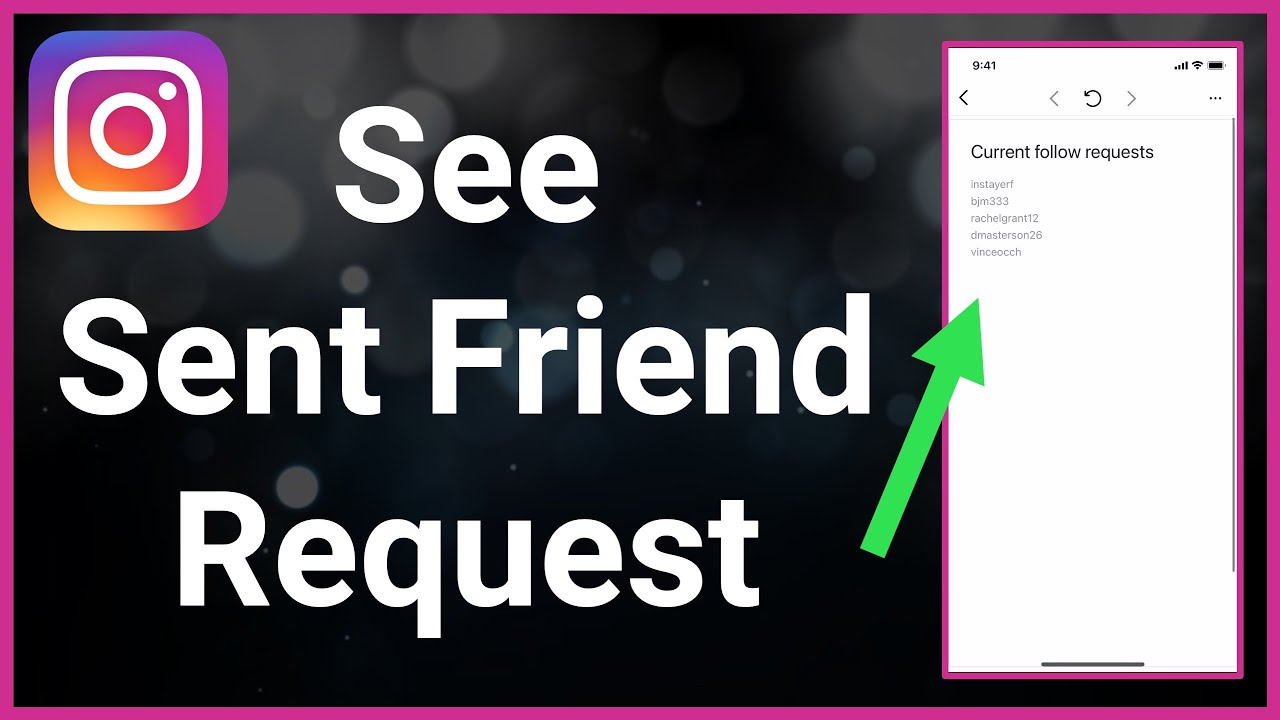
Let's find everyone who you've sent a friend request to on Instagram in this quick and easy guide.
Instagram allows you to see the list of sent friend requests. That's everyone who you requested to follow their private account and they haven't accepted or removed your request yet. In this video, I walk you through how to find that list. From there, you can go to each person's account and unsend the friend request if you changed your mind. You can cancel all of your sent friend requests and know exactly who hasn't accepted or denied your follow request yet. This process works the same for iPhone and Android.
I hope this video helped solve your problem. App still not working? If so, drop your question in a comment below!
What Is A Request In Instagram, WebIf you're using Instagram on the web, just sign in to https://www.instagram.com for now. This method will help you view two different lists of.
Can I have 100k or milion pending request on Instagram? Is there a limit? - Quora - Source: quora.com
Can someone see it if I continuously request to follow them on InstaGram? - Quora - Source: quora.com

Stop Instagram Group Message Requests Spam - Web Applications Stack Exchange - Source: webapps.stackexchange.com
What is appointment request in instagram
What is appointment request in instagram What is follow request in instagram.
What is follow request in instagram www.lifewire.com › see-instagram-message-requestsHow to See Message Requests on Instagram - Lifewire
What is follow request in instagram Here's how to view your requested messages on Instagram. On Instagram, tap the arrow in the top right hand corner. Tap Requests . If you have a professional account, a number will be next to Requests denoting how many messages you have. Tap Hidden Requests . What is hidden request in instagram.
What is hidden request in instagram
What is hidden request in instagram What is a message request in instagram.
.
What is a message request in instagram
What is a message request in instagram What is a request in instagram.
.
What is a request in instagram
What is a request in instagram What is a message request in instagram.
What is a dm request on instagram www.howtogeek.com › 721386 › how-to-turn-off-messageHow to Turn off Message Requests in Instagram - How-To Geek
What is a dm request on instagram If you don't want message requests from unknown Instagram users, you can turn them off altogether. Here's how. How the "Don't Receive Requests" Feature Works Facebook's integration of Facebook Messenger with Instagram brought many new features to the Instagram messaging platform (like themes, emoji responses, and more). The ability to turn off , What is a collab request on instagram.
What is a dm request on instagram.
.
socialpros.co › how-to-manage-instagram-messageHow to Manage Instagram Message Requests with Ease
The first way to handle an Instagram message request is simply through the app itself. To see your message requests on Instagram, go to your DM, look at the upright side, under the search bar, and if there is any message request, you will see it here. When you open each message, you can either "Accept," "Delete," or "Block" the message. .
.
.
.
.
What is a collab request on instagram www.facebook.com › help › instagramManage message requests on Instagram | Instagram Help Center
What is a collab request on instagram Computer Help. To manage who can send you message requests on Instagram: Click More in the bottom left, then click Settings. Below How others can interact with you, click Messages and story replies. Click Message controls. Choose whether message requests from people on Instagram go to your Message Requests folder or whether to receive them at all. What is a support request on instagram.
What is a support request on instagram help.instagram.com › contact › 505535973176353Instagram Help Center
What is a support request on instagram Instagram Help Center is a special form that you can use to contact the Instagram support team directly. If you have any issues or feedbacks that are not addressed by the Help Center page, you can fill out the form with your details and describe your problem. The Instagram support team will try to respond to your inquiry as soon as possible. What is request verification in instagram.
What is request verification in instagram www.wikihow.com › View-the-List-of-People-You-HaveHow to See Who You've Requested to Follow on Instagram - wikiHow
What is request verification in instagram Once you find the person you're looking for, tap their profile to see if there's a "Requested" button at the top. To view your search history: [2] Tap the magnifying glass at the bottom of the Instagram app. Tap the search bar at the top. Tap See all. This will not work if you've recently cleared your search history. What is login request in instagram.
What is login request in instagram www.businessinsider.com › guides › techHow to See Message Requests on Instagram and Manage Them
What is login request in instagram 4. Select the message by clicking on it. 5. Here, you'll be prompted to "Accept," "Delete," or "Block" the message and user. Note that message requests aren't marked as seen unless you accept it , What is appointment request in instagram.


Post a Comment