
Dynamic Host Configuration Protocol (DHCP) is a network management protocol used on Internet Protocol (IP) networks for automatically assigning IP addresses and other communication parameters to devices connected to the network using a client–server architecture. The technology eliminates the need for individually configuring network devices manually, and consists of two network components, a centrally installed network DHCP server and client instances of the protocol stack on each computer or device. When connected to the network, and periodically thereafter, a client requests a set of parameters from the server using DHCP.
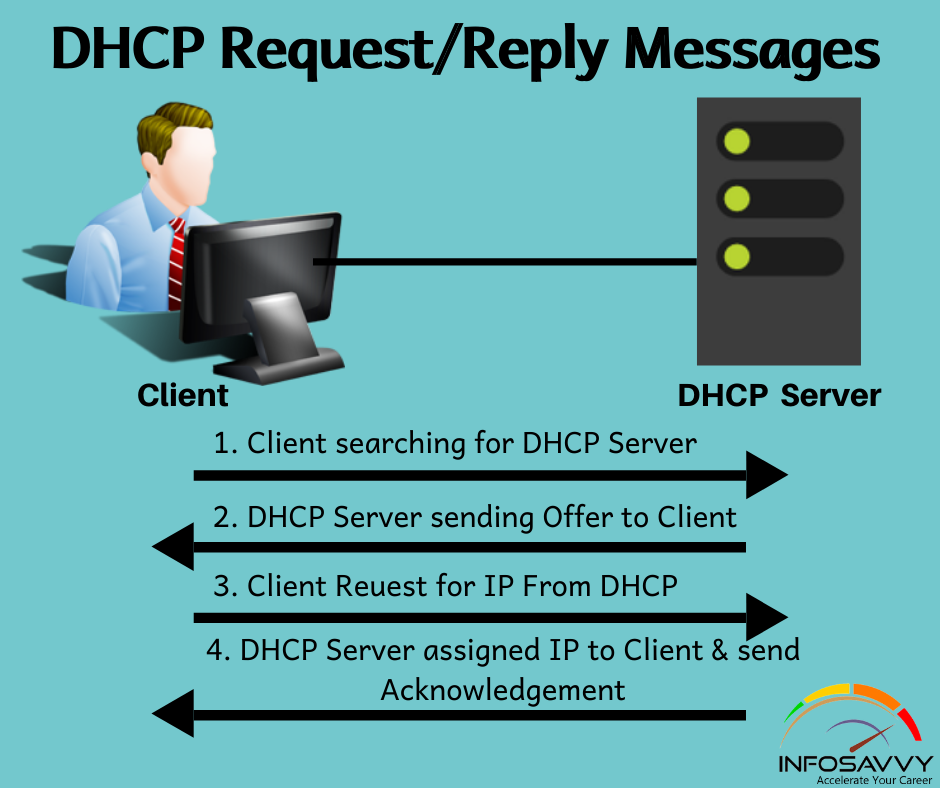
DHCP works through a series of steps, as follows:
- When a DHCP client connects to a network, it broadcasts a DHCPDISCOVER message to all DHCP servers on the network.
- DHCP servers that receive the DHCPDISCOVER message respond with a DHCPOFFER message, offering the client an IP address and other configuration parameters.
- The client selects one of the DHCPOFFER messages and sends a DHCPREQUEST message to the server that sent it.
- The server then sends a DHCPACK message to the client, confirming the assignment of the IP address and other configuration parameters.
- The client can now use the assigned IP address and other configuration parameters to communicate on the network.
The DHCP request message is a UDP packet sent by a DHCP client to a DHCP server to request an IP address and other configuration parameters. The message contains the following fields:
- Magic Cookie: A constant value that identifies the DHCP packet.
- Message Type: The type of DHCP message, in this case DHCPREQUEST.
- Transaction ID: A unique identifier for the DHCP transaction.
- Client Hardware Address: The MAC address of the DHCP client.
- Your IP Address: The client's current IP address, if it has one.
- Requested IP Address: The IP address that the client is requesting.
- Server Identifier: The IP address of the DHCP server that the client is requesting the IP address from.
- Parameter List: A list of parameters that the client is requesting, such as subnet mask, default gateway, and DNS server addresses.
Here are some examples of DHCP request messages:
DHCP Request Message 1: Magic Cookie: 0x63825363 Message Type: DHCPREQUEST Transaction ID: 0x12345678 Client Hardware Address: 00:00:00:00:00:01 Your IP Address: 0.0.0.0 Requested IP Address: 192.168.1.100 Server Identifier: 192.168.1.1 Parameter List: Subnet Mask: 255.255.255.0 Default Gateway: 192.168.1.1 DNS Server Addresses: 192.168.1.1, 192.168.1.2 DHCP Request Message 2: Magic Cookie: 0x63825363 Message Type: DHCPREQUEST Transaction ID: 0x98765432 Client Hardware Address: 00:00:00:00:00:02 Your IP Address: 192.168.1.100 Requested IP Address: 192.168.1.101 Server Identifier: 192.168.1.1 Parameter List: Subnet Mask: 255.255.255.0 Default Gateway: 192.168.1.1 DNS Server Addresses: 192.168.1.1, 192.168.1.2 DHCP offers a number of benefits, including:
- Reduced administrative overhead: DHCP eliminates the need for network administrators to manually configure each client with an IP address and other configuration parameters.
- Improved IP address utilization: DHCP ensures that IP addresses are used efficiently by dynamically assigning them to clients as needed.
- Simplified network configuration: DHCP makes it easier to configure new networks and to add new devices to existing networks.
- Increased network reliability: DHCP helps to reduce network downtime by ensuring that clients always have a valid IP address and other configuration parameters.
If a DHCP client is unable to obtain an IP address, there are a few things to check:
- **Make sure that the DHCP server is running and that it is
WebRFCs 2131 and 2132 define DHCP as an Internet Engineering Task Force (IETF) standard based on Bootstrap Protocol (BOOTP), a protocol with which DHCP. WebDHCP is working in our homes and connecting our devices, often without us realizing it. It assigns private IP addresses to our computers, smartphones, Wi-Fi. Web3. DHCP request . The DHCPREQUEST is a protocol that safeguards and guides the client in a network with multiple servers. Some networks, typically large ones,.
DHCP Explained | Step by Step
Source: Youtube.com
DHCP Explained - Dynamic Host Configuration Protocol
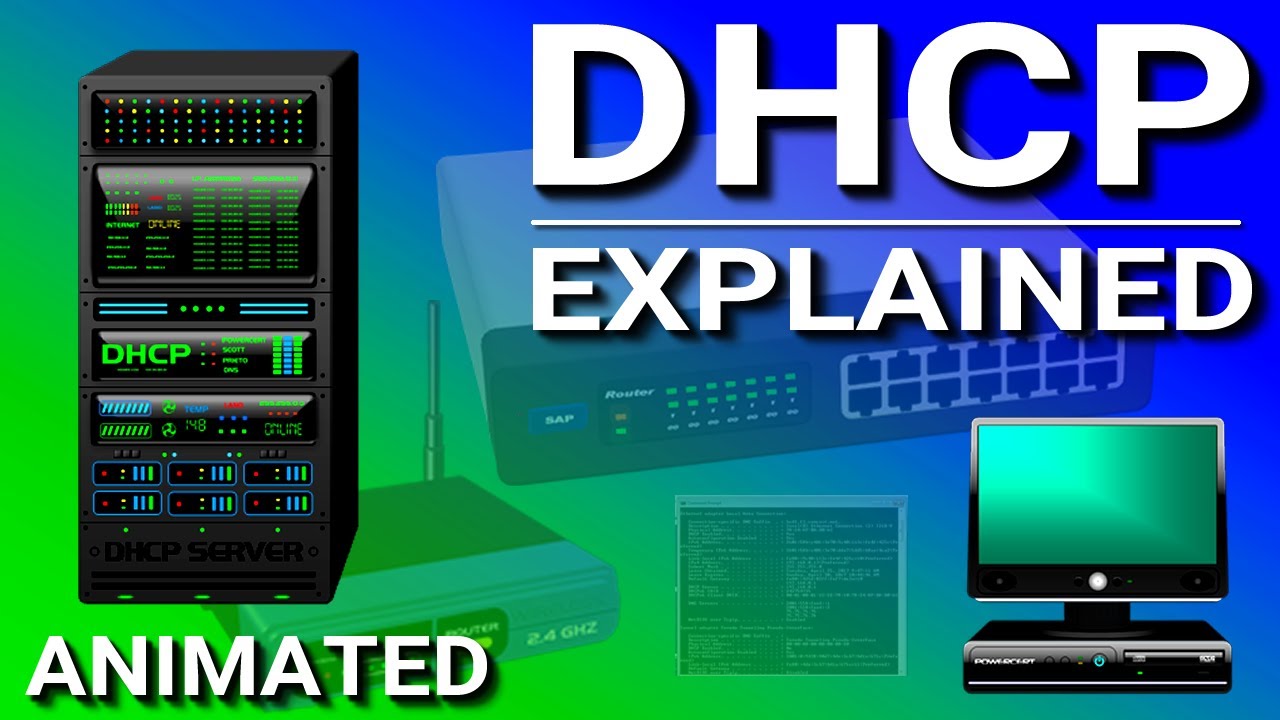
Source: Youtube.com
What Is A Dhcp Request, DHCP Explained | Step by Step, 7.55 MB, 05:30, 912,697, CertBros, 2017-01-05T01:00:03.000000Z, 2, DHCP Request/Reply Messages | Info-savvy, 788 x 940, jpg, , 3, what-is-a-dhcp-request
What Is A Dhcp Request.
Join the Discord Server!
discord.com/invite/QZ2B9GA3BH
---------------------
MY FULL CCNA COURSE
📹 CCNA - certbros.teachable.com/p/cisco-ccna?utm_source=youtube&utm_medium=desc&utm_campaign=CCNA
FREE CCNA FLASHCARDS
🃏 CCNA Flashcards - certbros.com/ccna/flashcards
HOW TO PASS THE CCNA
📚 Get a great book - amzn.to/3f16QA5
📹 Take a video course - certbros.teachable.com/p/cisco-ccna?utm_source=youtube&utm_medium=desc&utm_campaign=CCNA
✔ Use practice exams - certbros.com/ccna/Exsim
SOCIAL
🐦 Twitter - twitter.com/certbros
📸 Instagram - instagram.com/certbros
👔 LinkedIn - linkedin.com/company/certbros
💬 Discord - certbros.com/discord
Disclaimer: These are affiliate links. If you purchase using these links, I'll receive a small commission at no extra charge to you.
---------------------------------------------------------------------------------------------------------------
How does DHCP work?
When a device on your network needs an IP address, more than likely it will use DHCP (Dynamic Host Configuration Protocol) to obtain the IP address and other network configuration setting.
Below are the steps taken by the devices to obtain an address using DHCP.
DHCPDiscover - Looks for a DHCP server
DHCPOffer - The DHCP server offers an address
DHCPRequest - The host requests to lease the address
DHCPACK - DHCP server sends the IP addresses to the host
DHCP is an essential part of everyday life for our networks that we take for granted every single day! Let's Take a moment to appreciate the work DHCP does.
Thanks DHCP!
╱╱┏╮
╱╱┃┃
▉━╯┗━╮
▉┈┈┈┈┃
▉╮┈┈┈┃
╱╰━━━╯
--------------------------------------
#ccna #cisco #networking
What Is A Dhcp Request, WebDHCP is working in our homes and connecting our devices, often without us realizing it. It assigns private IP addresses to our computers, smartphones, Wi-Fi. Web3. DHCP request . The DHCPREQUEST is a protocol that safeguards and guides the client in a network with multiple servers. Some networks, typically large ones,.
DHCP Request/Reply Messages | Info-savvy - Source: info-savvy.com

What Is DHCP Snooping and How It Works? | FS Community - Source: community.fs.com

How DHCP works Explained with Examples - Source: computernetworkingnotes.com
Dhcp request example.
Dhcp request example
Dhcp request example What are the steps in a dhcp request.
What are the steps in a dhcp request
What are the steps in a dhcp request What does a dhcp request look like.
.
What does a dhcp request look like
What does a dhcp request look like What is a dhcp request.
.
What is a dhcp request
What is a dhcp request What does a dhcp request look like.
www.techtarget.com › searchnetworking › definitionWhat is DHCP (Dynamic Host Configuration Protocol)? - TechTarget
DHCP (Dynamic Host Configuration Protocol) is a network management protocol used to dynamically assign an Internet Protocol ( IP ) address to any device, or node , on a network so they can communicate using IP. DHCP automates and centrally manages these configurations rather than requiring network administrators to manually assign IP addresses , .
www.lifewire.com › what-is-dhcp-2625848What Is DHCP? (Dynamic Host Configuration Protocol) - Lifewire
DHCP (Dynamic Host Configuration Protocol) is a protocol that provides quick, automatic, and central management for the distribution of IP addresses within a network. It's also used to configure the subnet mask, default gateway, and DNS server information on the device. The Dynamic Host Configuration Working Group of the Internet Engineering , .
.
.
.
learn.microsoft.com › en-us › windows-serverDHCP (Dynamic Host Configuration Protocol) Basics
This lets those other DHCP servers know they can release their offered addresses and return them to their available pools. The DHCP section identifies the packet as a Request and verifies the offered address using the DHCP: Requested Address field. The DHCP: Server Identifier field shows the IP address of the DHCP server offering the lease. .
.
.
www.computernetworkingnotes.com › ccna-study-guideHow DHCP works Explained with Examples - ComputerNetworkingNotes
How DHCP works Explained with Examples. When a host (DHCP client) needs an IP configuration, it connects to a DHCP server and requests an IP configuration. A DHCP server contains several pre-configured IP configurations. When it receives a DHCP request from a DHCP client, it provides an IP configuration to the client from all available IP , .
www.howtogeek.com › 404891 › what-is-dhcp-dynamicWhat Is DHCP (Dynamic Host Configuration Protocol)? - How-To Geek
DHCP automates the process of assigning IP addresses to devices connecting to a network, making it easier to connect multiple devices. DHCP allows you to control the range of IP addresses available for use, ensuring you can limit the number of devices connected to your network. While DHCP assigns IP addresses temporarily, static IP addresses , .
www.geeksforgeeks.org › dynamic-host-configurationDynamic Host Configuration Protocol (DHCP) - GeeksforGeeks
5. DHCP Negative Acknowledgment Message: Whenever a DHCP server receives a request for an IP address that is invalid according to the scopes that are configured, it sends a DHCP Nak message to the client. Eg-when the server has no IP address unused or the pool is empty, then this message is sent by the server to the client. .
en.wikipedia.org › wiki › Dynamic_Host_ConfigurationDynamic Host Configuration Protocol - Wikipedia
A network administrator reserves a range of IP addresses for DHCP, and each DHCP client on the LAN is configured to request an IP address from the DHCP server during network initialization. The request-and-grant process uses a lease concept with a controllable time period, allowing the DHCP server to reclaim and then reallocate IP addresses , .


 is a network management protocol used on Internet Protocol (IP) networks for automatically assign...)
Post a Comment