
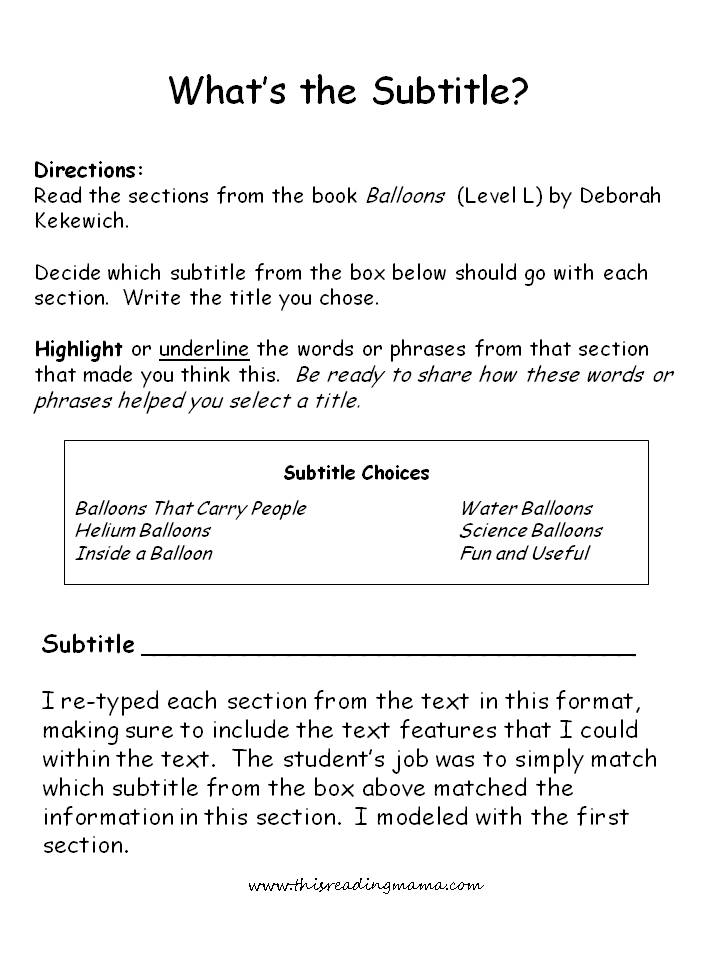
Subtitle text features are short pieces of text that provide additional information about a video or audio file. They are typically displayed at the bottom of the screen, and they can be used to translate the audio into another language, provide captions for people who are deaf or hard of hearing, or simply provide additional context or commentary.
Subtitle text features can be created in a variety of ways, but they are most commonly created using a text editor or a dedicated subtitling software program. Once the subtitles have been created, they can be added to the video or audio file using a variety of methods, depending on the format of the file.
Here are some of the benefits of using subtitle text features:
- Accessibility: Subtitle text features make videos and audio files accessible to a wider audience, including people who are deaf or hard of hearing, people who speak a different language than the audio, and people who are watching the video or listening to the audio in a noisy environment.
- Comprehension: Subtitle text features can help people to better understand the content of a video or audio file. This is especially true for complex or technical content, or content that is delivered in a language that the viewer or listener is not familiar with.
- Engagement: Subtitle text features can help to keep viewers or listeners engaged with the content. This is because they provide a visual cue that something important is about to be said, and they can also help to break up the monotony of a long video or audio file.
Here are some of the different types of subtitle text features:
- Captions: Captions are subtitle text features that are designed for people who are deaf or hard of hearing. They typically include a transcript of the audio, as well as sound effects and other important information.
- Subtitles: Subtitles are subtitle text features that are designed for people who speak a different language than the audio. They typically include a translation of the audio into the selected language.
- Closed captions: Closed captions are subtitle text features that can be turned on or off by the viewer or listener. This is in contrast to open captions, which are always displayed on the screen.
- On-screen text: On-screen text is any type of text that is displayed on the screen during a video or audio file. This can include things like titles, subtitles, captions, and other types of information.
Here are some tips for creating effective subtitle text features:
- Use clear and concise language: Subtitle text features should be easy to read and understand. Avoid using complex or technical language, and use short, simple sentences.
- Be accurate: Subtitle text features should be an accurate representation of the audio. Make sure to spell all words correctly, and to include all of the important information.
- Be consistent: Subtitle text features should be consistent in terms of their style, formatting, and placement. This will help to make them easy to read and understand.
- Use timestamps: Timestamps can be helpful for viewers and listeners to navigate through a video or audio file. Consider using timestamps to indicate the start and end of each subtitle, or to indicate the start of a new section of the content.
- Use formatting: Formatting can be used to make subtitle text features more visually appealing and easier to read. Consider using different fonts, colors, and sizes to make the subtitles stand out from the video or audio background.
How to add subtitle text features to a video or audio file:
The specific method for adding subtitle text features to a video or audio file will vary depending on the format of the file. However, most video editing and audio editing software programs will include a way to add subtitles.
Here is a general overview of how to add subtitle text features to a video or audio file:
- Import the video or audio file into your video editing or audio editing software program.
- Create a new subtitle file. This can be done using a text editor or a dedicated subtitling software program.
- Add the subtitles to the subtitle file. Be sure to include the start and end time for each subtitle.
- Export the subtitle file.
- Import the subtitle file into your video editing or audio editing software program.
- Sync the subtitles with the video or audio.
- Export the video or audio file with the subtitles embedded.
Here are some examples of how subtitle text features can be used:
- To translate a video into another language: Subtitle text features can be used to translate a video into another language. This can be helpful for businesses that want to reach a global audience, or for individuals who want to watch videos in a language that they are learning
WebOPEN CAPTION EXAMPLES. One of the biggest advantages of this type of subtitle is that these subtitles are supported by all types of devices and video players. As. WebCommon Video Subtitle Formats SRT Format. SubRip Text (SRT) is a widely supported and simple format for adding subtitles to videos. It consists of a plain text file that contains. WebSubtitle and caption files contain the text of what is said in the video. It also contains timestamps for when each line of text should be displayed. Some files also include.
Nonfiction Text Features: Part 2 - This Reading Mama
Source: thisreadingmama.com
Informational Text Features - Bellevue Public Schools High Ability Learners
Source: bpshal.weebly.com
27 Text Features Examples (2023)

Source: helpfulprofessor.com
What Is A Subtitle Text Feature, What are Text Features, 4.97 MB, 03:37, 61,620, Learning Academy for Kids, 2021-05-04T16:38:49.000000Z, 2, Nonfiction Text Features: Part 2 - This Reading Mama, thisreadingmama.com, 960 x 720, jpg, , 3, what-is-a-subtitle-text-feature
What Is A Subtitle Text Feature. WebTitles and Subtitles. Titles and subtitles (or headings and subheadings) give information about what a section is about. In nonfiction, they may also give important. WebIn the context of video content, here's a simple subtitle meaning or definition — Subtitles are lines of text at the bottom of the screen that translate the spoken dialogue into another.
This video focuses on nonfiction text features. Text features are the different parts of a nonfiction or fiction text other than the main story itself. They help the reader understand the story. Examples of nonfiction text features include title, subtitle, table of contents, photographs, illustrations, drawings, labels, maps, charts, sidebars, timeline, captions, index, and glossary etc.
Nonfiction Text Features: Part 2 - This Reading Mama
What Is A Subtitle Text Feature, WebCommon Video Subtitle Formats SRT Format. SubRip Text (SRT) is a widely supported and simple format for adding subtitles to videos. It consists of a plain text file that contains. WebSubtitle and caption files contain the text of what is said in the video. It also contains timestamps for when each line of text should be displayed. Some files also include.

What is the purpose of a subtitle
What is the purpose of a subtitle What is a subtitle in a text.
What is a subtitle in a text
What is a subtitle in a text What is a subheading text feature.
What is a subheading text feature
What is a subheading text feature What is a caption text feature.
.
What is a caption text feature
What is a caption text feature What is a subtitle text feature.
.
What is a subtitle text feature
What is a subtitle text feature What is a caption text feature.
www.fractuslearning.com › what-are-text-featuresWhat Are Text Features? Here Are Some Text Feature Examples
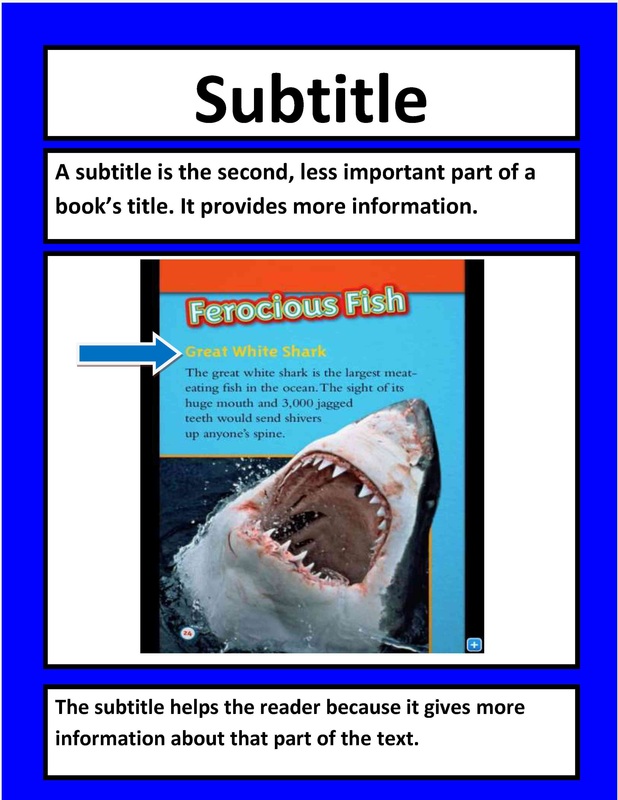
Headings and subtitles break the nonfiction text into sections and subsections. Using these types of nonfiction text features students find specific information quickly in nonfiction books and articles by scanning the headings and subheadings. Graphics As Text Features Graphics are pictures, maps, and diagrams found in a nonfiction book. .
www.studiobinder.com › blog › what-are-subtitles-inWhat are Subtitles — How Subtitles Work in Film & TV
Subtitles are textual versions of a film's dialogue that appear on screen, typically at the bottom, and are synced with the audio to provide viewers with a clear understanding of the spoken content. .
.
.
.
.
.
.
www.rev.com › blog › resourcesDifference Between Subtitles & Captions | Rev Blog
In the context of video content, here's a simple subtitle meaning or definition — Subtitles are lines of text at the bottom of the screen that translate the spoken dialogue into another language. The most common example of subtitles is in movies, but they can also be used in TV shows and other content such as online videos and social media clips. .
helpfulprofessor.com › text-features-examples27 Text Features Examples (2024) - Helpful Professor
.
What is a subtitle in writing.
What is a subtitle in writing www.weareteachers.com › text-featuresWhat Are Text Features? Examples and a Teaching Guide
What is a subtitle in writing Text features are parts of a text that aren't in the main story or body of text. They're most common in nonfiction texts and help readers find information quickly and get more out of the text they're reading. What is the purpose of a subtitle.


Post a Comment