
An IP address, or Internet Protocol address, is a unique identifier assigned to every device connected to the internet. It is a series of numbers separated by periods, such as 192.168.1.1. IP addresses are used to route traffic between devices on the internet.
Your IP address is assigned by your internet service provider (ISP). When you connect to the internet, your ISP assigns you a public IP address. This is the IP address that is visible to other devices on the internet.
In addition to a public IP address, your devices also have private IP addresses. Private IP addresses are used to identify devices on a local network, such as your home or office network.
To find out your IP address, you can use a variety of online tools and websites. Some of these tools will also show you your approximate location based on your IP address.
Why is my IP address important?
Your IP address is important for a number of reasons. First, it is used to route traffic between devices on the internet. When you visit a website, your computer needs to know the IP address of the website’s server in order to connect to it.
Second, your IP address can be used to track your online activity. For example, if you visit a website, the website can log your IP address. This information can be used to track your browsing habits and build a profile of your interests.
Third, your IP address can be used to block you from accessing certain websites and services. For example, some websites block users from certain countries or regions.
How to protect your privacy online
There are a number of things you can do to protect your privacy online, including:
- Use a VPN. A VPN, or virtual private network, encrypts your internet traffic and routes it through a remote server. This makes it difficult for anyone to track your online activity.
- Use a proxy server. A proxy server acts as an intermediary between your computer and the internet. When you visit a website, your request goes through the proxy server first. The proxy server then forwards your request to the website and returns the response to you. This can help to hide your IP address from the website.
- Use a private IP address. If you are using a public Wi-Fi network, you can use a private IP address to hide your identity from other devices on the network. To do this, you can use a VPN or a proxy server.
- Be careful about what information you share online. Avoid sharing your personal information, such as your name, address, and phone number, with websites and apps that you do not trust.
How to find your IP address
There are a number of ways to find your IP address.
- Use an online tool. There are a number of online tools and websites that can show you your IP address. Simply search for "what is my IP address" and you will find a number of options.
- Use your operating system’s tools. You can also use your operating system’s tools to find your IP address.
Windows
To find your IP address in Windows:
- Open the Control Panel.
- Click on Network and Internet.
- Click on Network and Sharing Center.
- Click on Change adapter settings.
- Right-click on your network connection and select Status.
- Click on Details.
- Your IP address will be listed next to IPv4 Address.
macOS
To find your IP address in macOS:
- Open System Preferences.
- Click on Network.
- Select your network connection from the list on the left.
- Click on Advanced.
- Click on the TCP/IP tab.
- Your IP address will be listed next to IPv4 Address.
Linux
To find your IP address in Linux:
- Open a terminal window.
- Type the following command:
ifconfig - Your IP address will be listed next to inet addr.
What can someone do with my IP address?
Someone with your IP address can:
- Track your location. Your IP address can be used to approximate your location. This information can be used to track your movements and build a profile of your lifestyle.
- Block your access to websites and services. Some websites and services block users from certain countries or regions. If someone has your IP address, they can block you from accessing these websites and services.
- Launch denial-of-service attacks. A denial-of-service attack is a type of cyber attack that attempts to overwhelm a website or service with traffic, making it unavailable to legitimate users. If someone has your IP address, they can launch a denial-of-service attack against you.
How to protect your IP address
There are a number of things you can do to protect your IP
WebSelect Start > Settings > Network & internet > Wi-Fi and then select the Wi-Fi network you're connected to. Under Properties, look for your IP address listed next to IPv4 address. WebThe internet is a big network of connected devices, every device has a unique address where others can send information when they want to communicate. This unique. Webpublished 3 September 2019. (Image credit: Shutterstock) In this guide we'll show you how to find your IP address. From time to time, you might need to know your computer’s IP. WebAn IP (or Internet Protocol) address is a unique string of characters that identifies a device on the internet. There are two major ways of denoting IP address:.
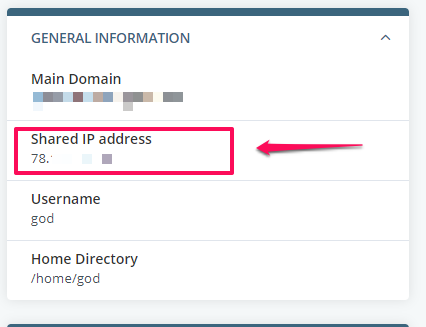
What Is My Server Address? – Knowledge base – ScalaHosting
Source: scalahosting.com
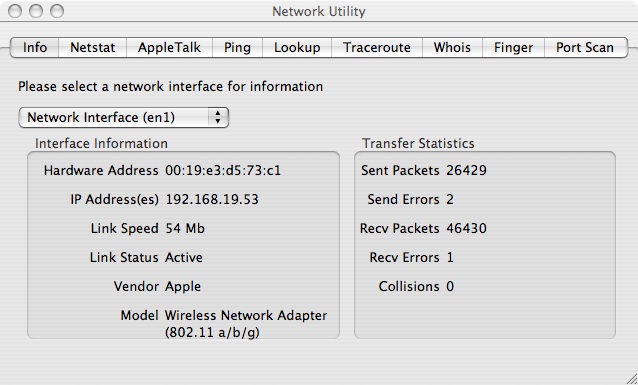
HowTo-Locate My IP Address
Source: sas.upenn.edu
How to Find Your IP Address | PCMag

Source: pcmag.com
What Is My User Ip, What can someone do with YOUR IP address, 10.62 MB, 07:44, 93,161, VPNpro, 2021-03-31T15:15:01.000000Z, 2, What Is My Server Address? – Knowledge base – ScalaHosting, scalahosting.com, 327 x 426, jpg, , 3, what-is-my-user-ip
What Is My User Ip.
💥👇 Best VPNs to HIDE your IP address | 30-day money-back guarantee + Discounts👇💥
1️⃣ NordVPN | 65% off: vpnpro.sale/NordVPN-discount/0avKr0dsUrE/
2️⃣ Surfshark VPN | 82% off: vpnpro.sale/Surfshark-discount/0avKr0dsUrE/
Your IP address is a treasury of sensitive information packed into a simple line of numbers, so it is in your best interest to hide that information. In this video, I’m gonna explain what an IP address does, what details it can reveal about you, when you need to hide it, and exactly how to do that. Don’t miss it, guys!
👇My full list of BEST VPN providers | Up to 87% off NOW👇
vpnpro.sale/best-vpn-discount/0avKr0dsUrE/
↑ ↑ ↑ ↑ ↑ ↑ ↑ ↑ ↑ ↑ ↑ ↑ ↑ ↑ ↑
\\TIMESTAMPS//
00:00 Intro
00:45 What is IP address?
1:10 How to know what’s my IP address?
3:05 What kind of my information shows IP address?
4:35 How to hide my IP address?
5:15 Why you should use a VPN for hiding your IP address?
5:55 Can a VPN provider see my IP address?
6:20 Which free VPNs to use for your online privacy?
6:25 Which VPNs you should choose for hiding your IP address?
In all honesty, the best choice for hiding your IP address is a VPN. It hides your IP address by routing your connection similar to how proxy does it, but they are also less prone to being blocked by websites. Top VPN providers will not keep logs of your activity, so there’s no better way to stay anonymous online. You can even try a free VPN service like ProtonVPN, Windscribe, or Atlas VPN to hide your IP address.
Affiliate link disclaimer: If you click the links in the description and get a VPN, we may receive a commission. With that said, we don’t let brands dictate our opinions – if we said it, that means it’s what we truly believe. Buying through our links will not cost you anything extra and as a matter of fact, may cost less due to discounts.
VISIT our website: vpnpro.sale/visit-us/
What Is My Server Address? – Knowledge base – ScalaHosting
What Is My User Ip, WebAn IP (or Internet Protocol) address is a unique string of characters that identifies a device on the internet. There are two major ways of denoting IP address:.
What can someone do with YOUR IP address
Source: Youtube.com
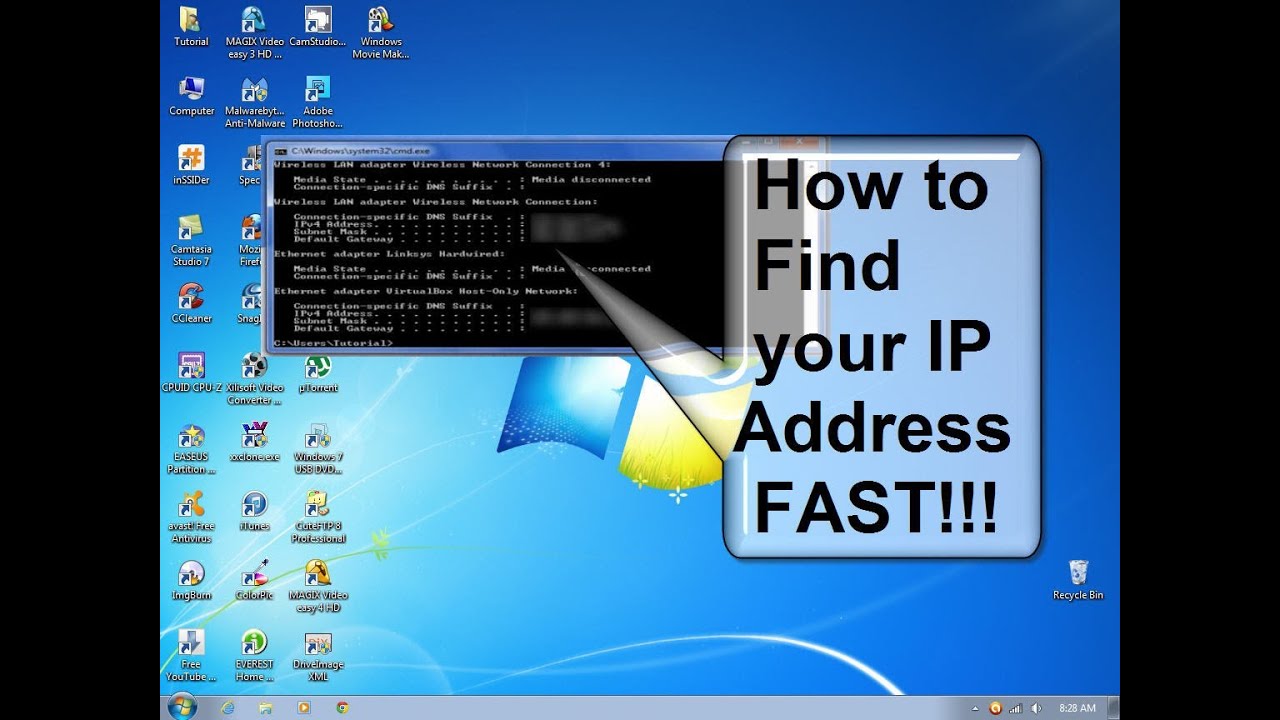
How do I find my IP address – How to find my IP address fast & free
Source: Youtube.com
My IP Address | IPAddress.my
Free tool to geolocate the location of IP address 5.161.68.98, obtain detailed IP related information, ping and traceroute the IP address. .
What is My IP address? – Find your IP
This webpage displays public IP address of your computer or router assigned by your ISP. .
What is my IP address location? Find out here | NordVPN
Check your IP address in a moment here! Did you know that there are different types of IP? Click here to find out how to protect yourself online. .
What is my IP address,User Agent? Lookup IP and more…
IP address lookup, location. Find, get, and show my IP address. show your browser User Agent, browser accept language. .
What Is My IP? Best Way To Check Your Public IP Address
Learn how to recognize those security issues that may be making you vulnerable online. , Learn to find someone online using free tools. Whether you have their name, phone number, username, email address or IP address, this tutorial will guide you step by step. … Learn how a VPN can prevent others from spying on you and viewing your sensitive data while you search. … DNS translates IP addresses into domain names for simple Internet navigation. Learn what … .
IP Address Lookup – IP Location Lookup For Any IP Address
If you want know how to find your IP address, go to the What’s My IP home page to see your IP address as it is listed. This is your public IP; it will also tell you what your IP location is and who your ISP is. Once you have an IP address, you can also do a reverse IP address lookup. .
What Is My IP Address – See Your Public Address – IPv4 & IPv6
Find out what your public IPv4 and IPv6 address is revealing about you! My IP address information shows your location; city, region, country, ISP and location on a map. Many proxy servers, VPNs, and Tor exit nodes give themselves away. .
How to Find Your IP Address | PCMag
The simplest way to check your , “what is my IP?” on a search engine. … With Google, that’s all you see. There are plenty of sites out there that will show you the exact same thing. They see it simply because by visiting the site, your router has made a request, and thus revealed the IP address. Sites like WhatIsMyIP.com and IPLocation … .
.
How to find your IP address – IONOS Finding your own IP address is quite simple. Every internet user is assigned their own individual IP address for the purposes of global communication. .
Find your IP address – Microsoft Support
Get info on how to find your IP address in Windows. .
What’s My IP
Some people want to run a mail, ftp or game server on their computer and for that software to run it is usually necessary to enter the public IP address currently assigned to the user into the configuration. Other people would like to use a remote desktop application and want to know what IP , .
Instant IP Address Lookup
If you can find out the IPv4 or IPv6 address of an Internet user, you can get an idea what part of the country or world they’re in by using our IP Lookup tool. What to do: Enter the IP address you’re curious about in the box below, then click “Get IP Details.” Once you have an IP address it is as , .
HowTo-Locate My IP Address
The subnet mask is an another 32-bit number that identifies what network the IP address belongs. Computers with IP addresses on the same subnet can talk to each other natively. IP addresses with different subnet masks must communicate through a translating device such as a router to exchange , .
What is my IP address? Here’s you can your find your IP address | TechRadar
Need to know your IP? Whatever platform you’re running, we’ll show you how to discover both public and private IPs. .
What’s My IP Address? | See Your IP Location Now
What do others know about your location? See the true IP address of your VPN or proxy server. Learn to hide your IP address in 2 minutes. .
How To Find Any IP Address in a Flash – Digital.com
Need to know your IP address? We’ll show you your IP and location, and explain how you can put IP addresses to work in Google Analytics. .
How to Find Your Computer IP Address | Windows & Mac | Avast
The easiest way to get your public IP address is to Google it. Type in “what is my IP address” or “how to find my IP address,” and Google will tell you — though it won’t reveal your ISP (internet service provider) or your location. .
What Is My IP Address? (IPv4 & IPv6) – Show My IP
Show My IP displays your IP address with additional information like the country, city, ISP, and user agent. .

Post a Comment